
Solutions
Different roles. One system.
Every role sees what they need, connected to the same data. Core covers teaching, Plus adds pastoral care and admissions, Whole School adds clubs, boarding and fee billing, and the books, HR, payroll and appraisal are add-ons on any package. Billed per user — learners and staff at the same rate; parents are free.
School Owners & Boards
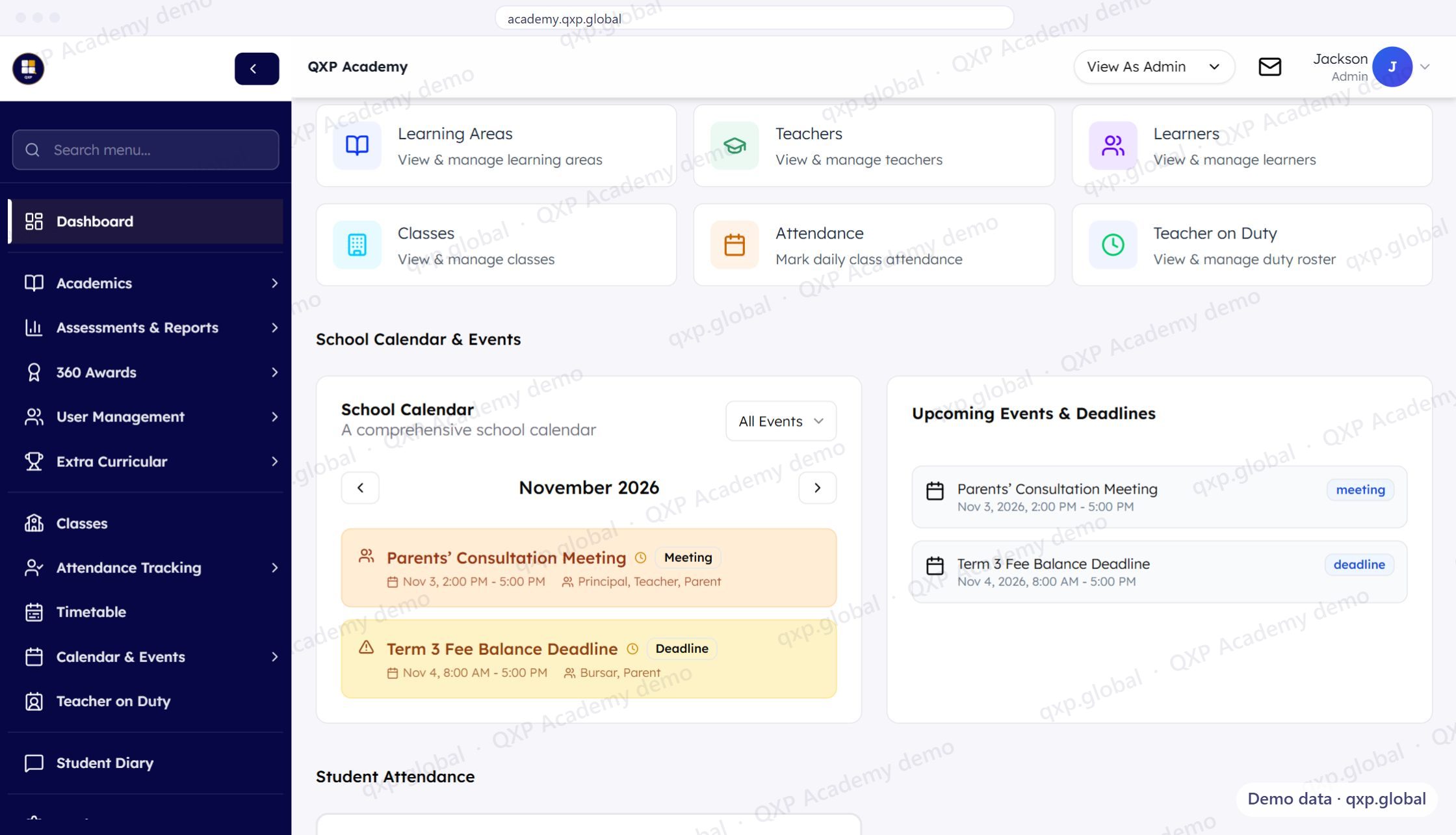
Every campus on one screen, including what it is owed
Roll, attendance, reporting completion and fees collected — per campus, in one table, on the same definitions. Without driving between campuses to find out how each one is doing, and without asking the bursar what the third column means.
- Each campus side by side: roll, attendance, reporting and fees collected
- The campus behind on collections is the same row as the one behind on reports
- Purchase orders raised by one person and approved by another, both named
Bursars & Finance Officers
The money, on the same record as the learner
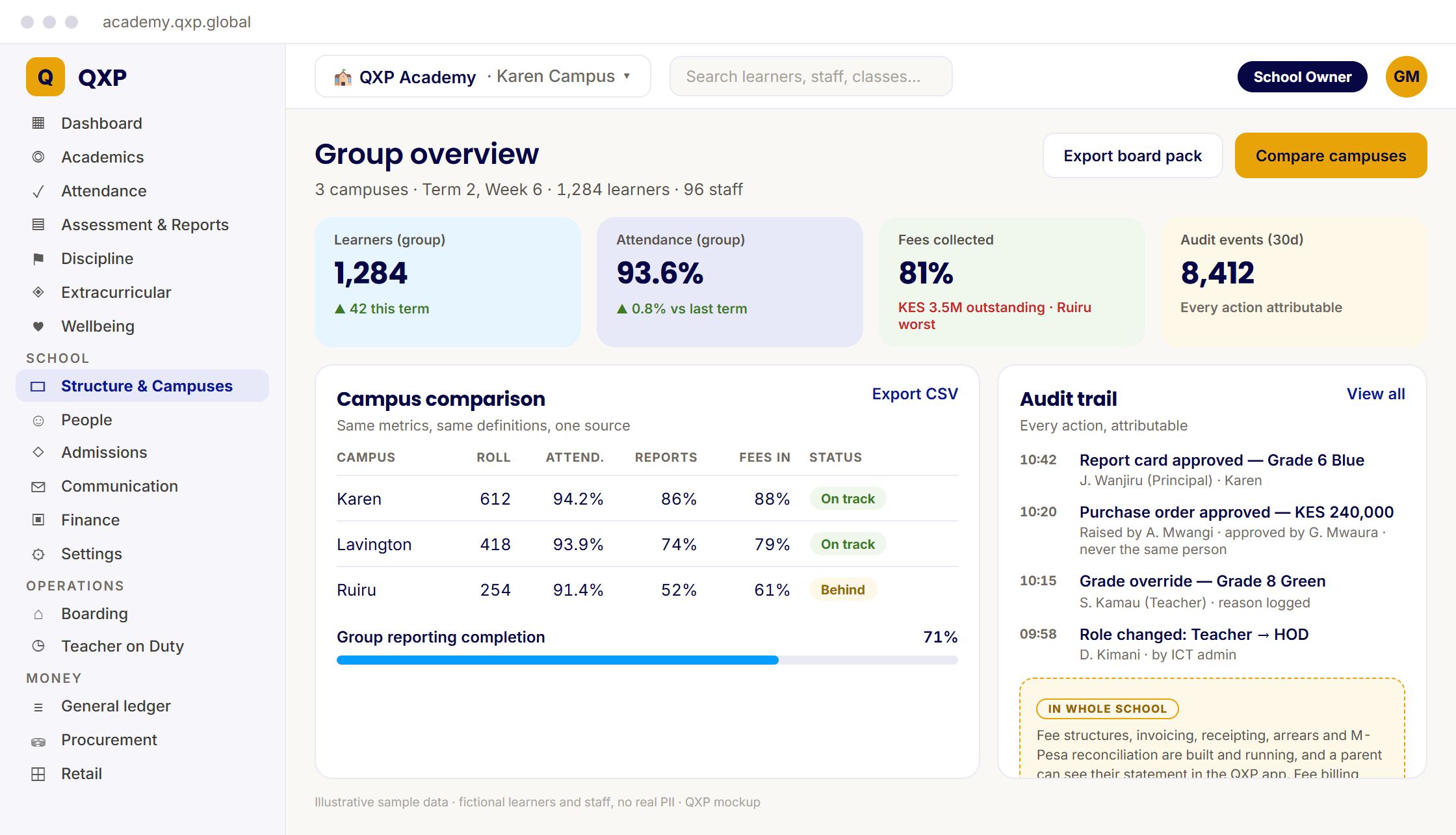
Fee structures, invoicing, receipting and arrears — and M-Pesa that reconciles itself where the reference is clean, instead of a paybill statement you match by hand on a Friday.
- Collected, still owed and billed for the term, with fee collection by class
- A "needs you today" list of supplier bills and the M-Pesa paybill still to reconcile
- Cash at bank and spend against budget beside the fee figures
Principals & Headteachers
Know before anyone has to ask you
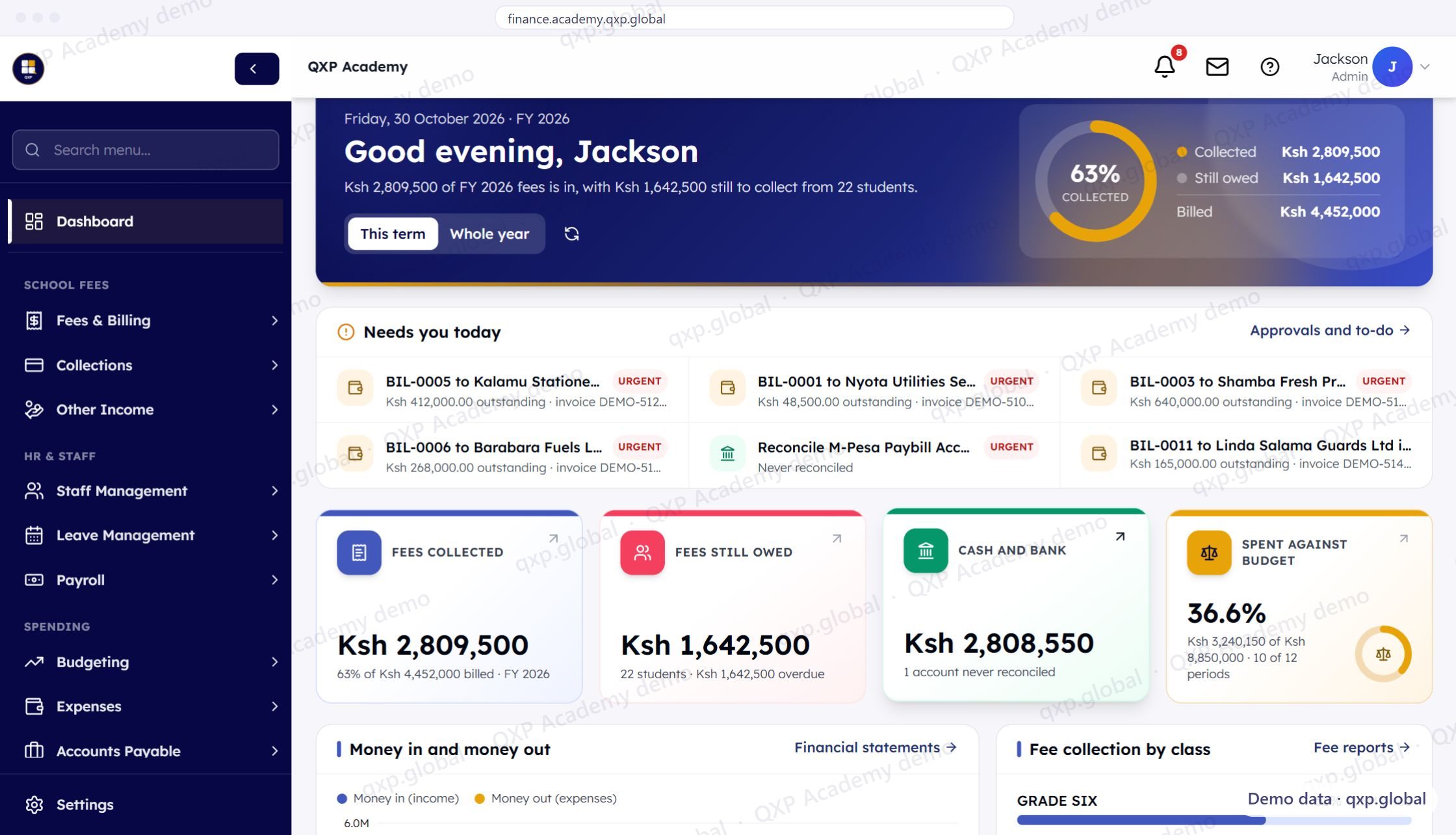
Teaching, reporting and parents in a single view, so a problem is something you spot in week six rather than something you discover on the last day of term.
- Learning areas, teachers, learners, classes, attendance and the duty roster, one click from the dashboard
- The school calendar and upcoming deadlines, such as a parents' consultation meeting and the Term 3 fee balance deadline
- A Student Attendance section below the calendar
Academic Directors & HODs
The curriculum chain, end to end
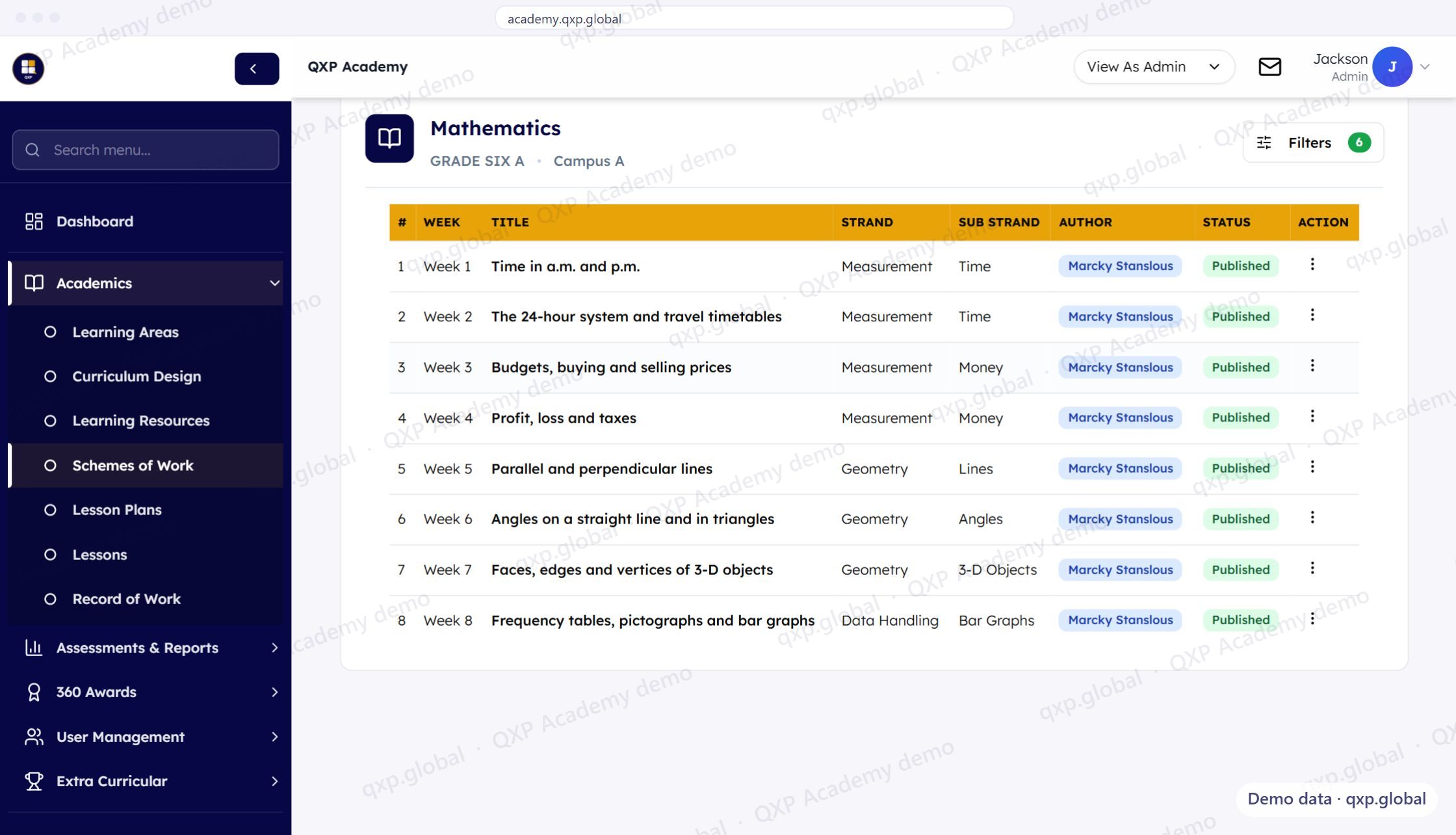
Scheme of work, to lesson plan, to assessment, to report card — visible down to the individual strand, so curriculum coverage is a number you can look up rather than a thing you hope is happening.
- A scheme of work week by week, broken down by strand and sub-strand
- Each scheme tied to a class and campus, with its author and Published status
- Curriculum design, lesson plans, lessons and record of work in the same Academics menu
Teachers
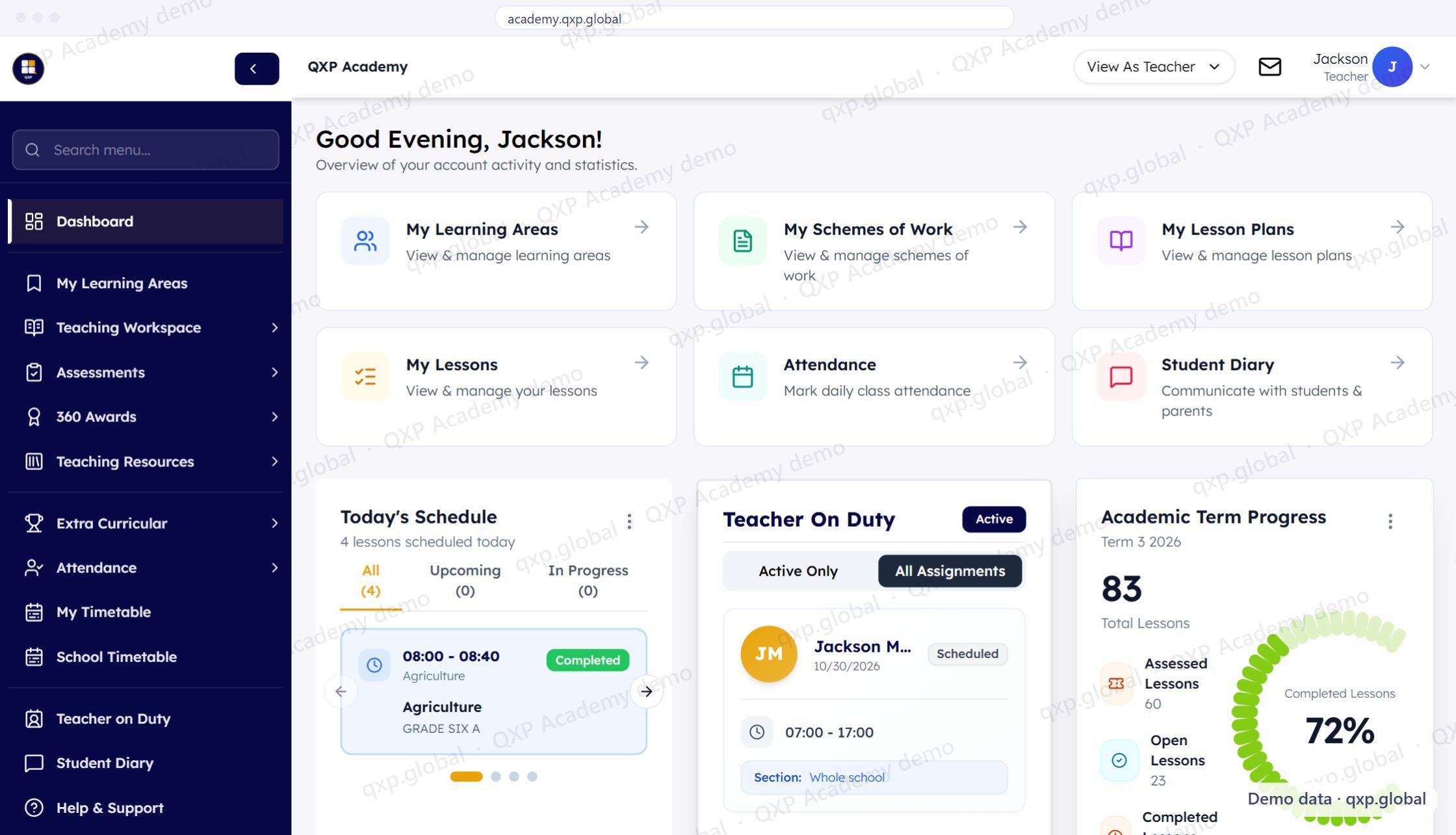
Everything for today's lesson, already attached
Open the timetable and the right plan is there. Mark the register, enter the marks, move on. Nothing gets copied out into a second place, because the report card is built from what you already entered.
- Today's schedule on the dashboard, each lesson with its time, subject and class
- Schemes of work, lesson plans, attendance and the student diary one click away
- Term progress at a glance: lessons completed, assessed and still open
Deputy Heads & Deans of Students
Discipline: patterns, not one teacher's memory
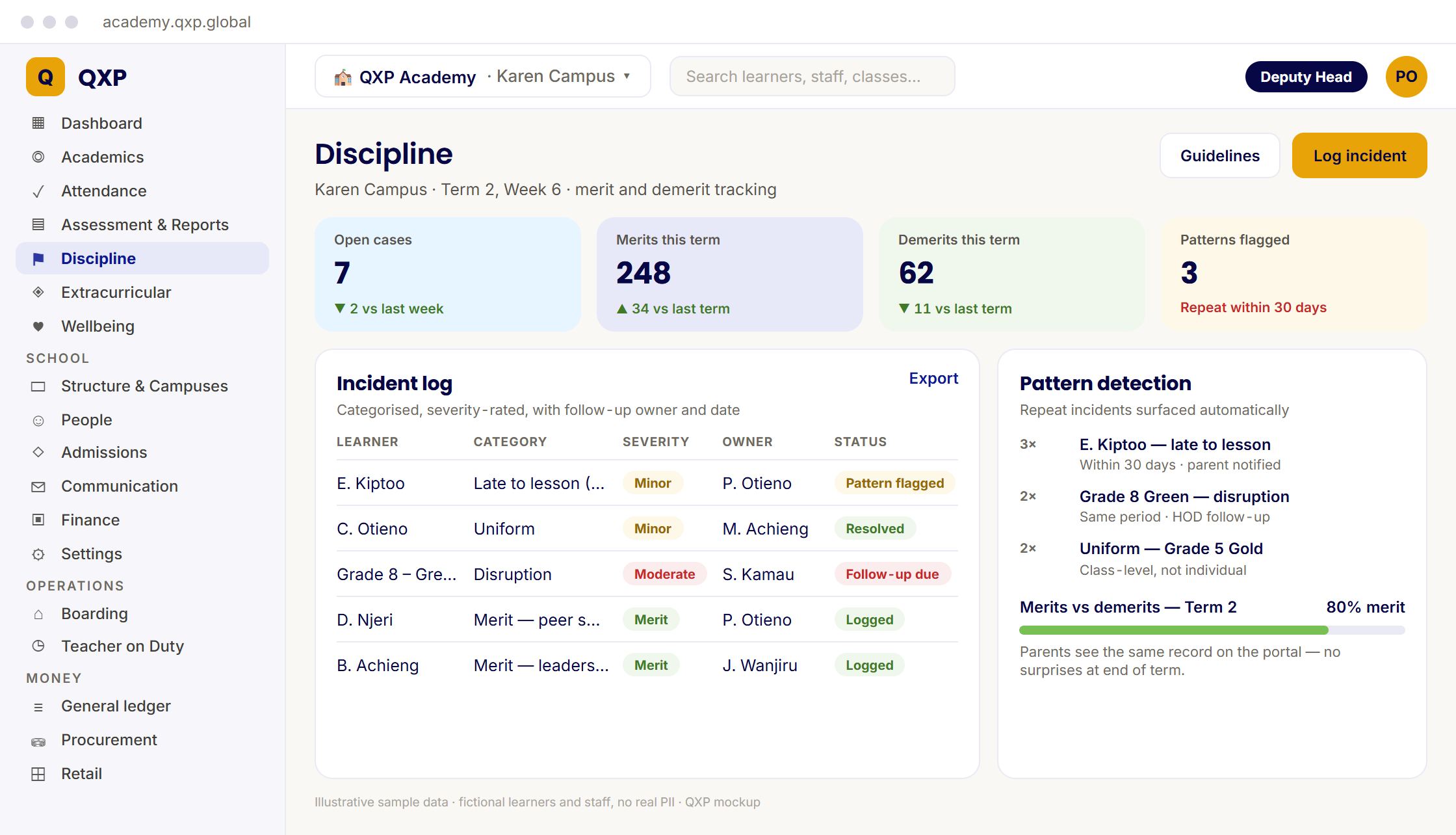
The Discipline module records merit and demerit once, with severity, category and a follow-up owner — so the third late arrival in a month is something the system raises, rather than something a form tutor happens to remember.
- Merit and demerit logged with severity and follow-up owner
- Repeat incidents surfaced automatically, within a 30-day window
- Parents see the same record you do — no surprises at end of term
Activities & Sports Coordinators
Extra-curricular: consent that is a record, not a pile of slips
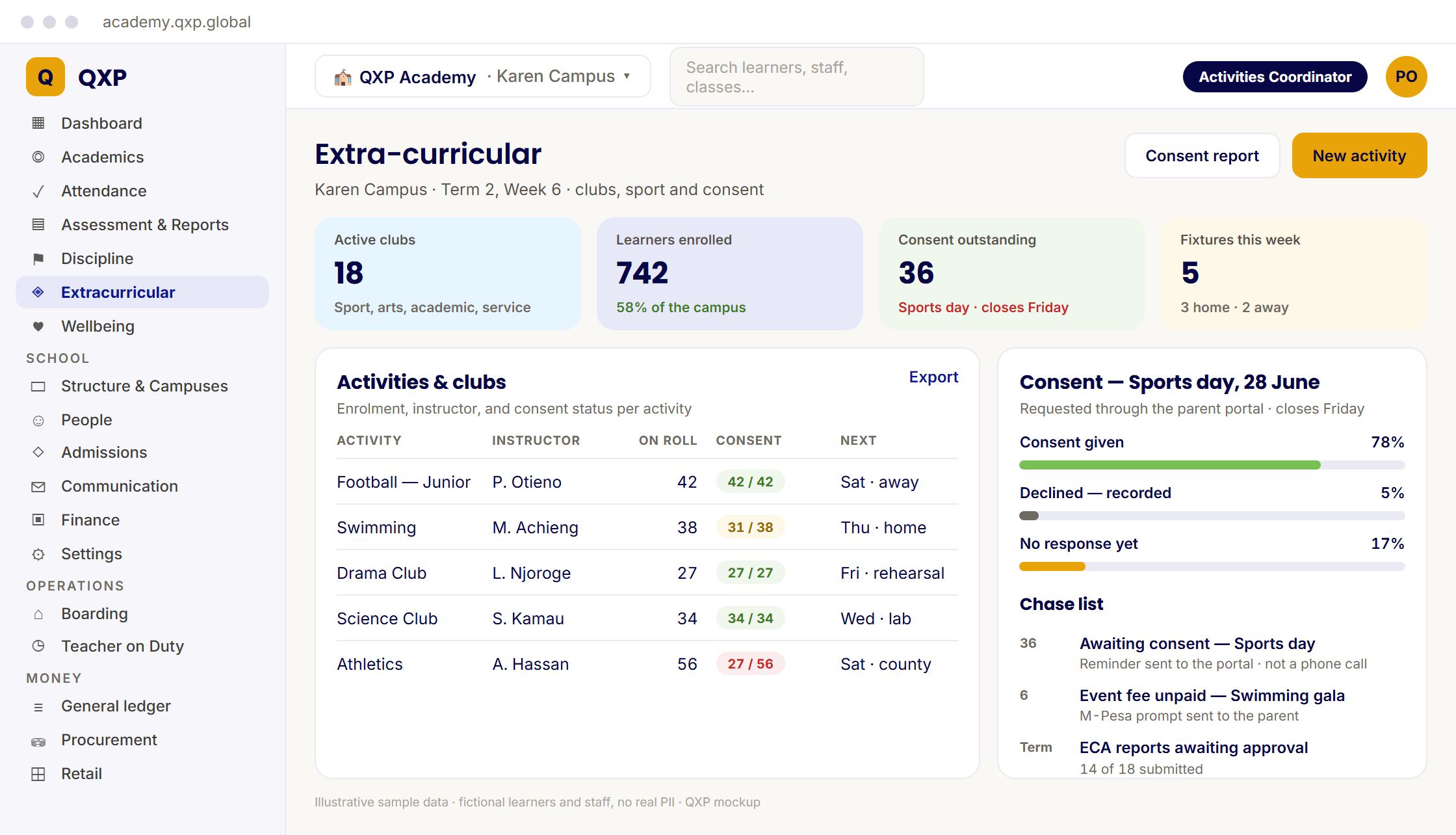
The ECA module runs clubs and events with consent requested through the parent portal and tracked per event — so the night before the match you are reading a list, not searching a folder of paper.
- Clubs, sport and societies, with enrolment per activity
- Per-event parental consent, with a live chase list
- Unpaid event fees and ECA reports awaiting approval, in the same chase list
Admissions & Registrars
Admissions: enquiry to enrolled, in one pipeline
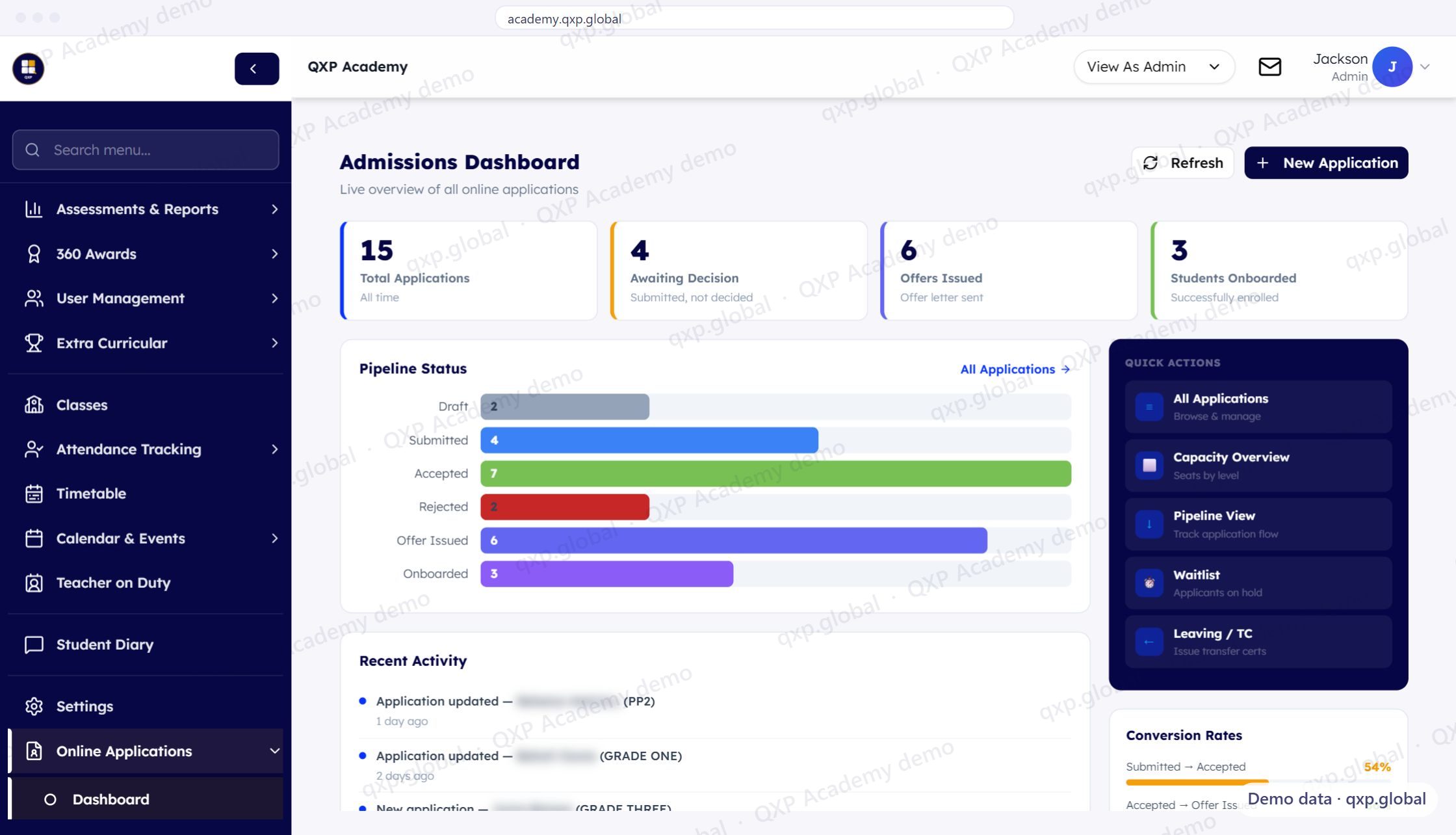
Every applicant at every stage in a single list — with capacity beside it, so you discover a class is full before you have made the offer rather than after.
- Every application by stage, from draft through offer issued to onboarded
- Offers issued and students onboarded counted, with conversion rates between stages
- Capacity by level, the waitlist and transfer certificates one click away
Pastoral Care & Safeguarding Leads
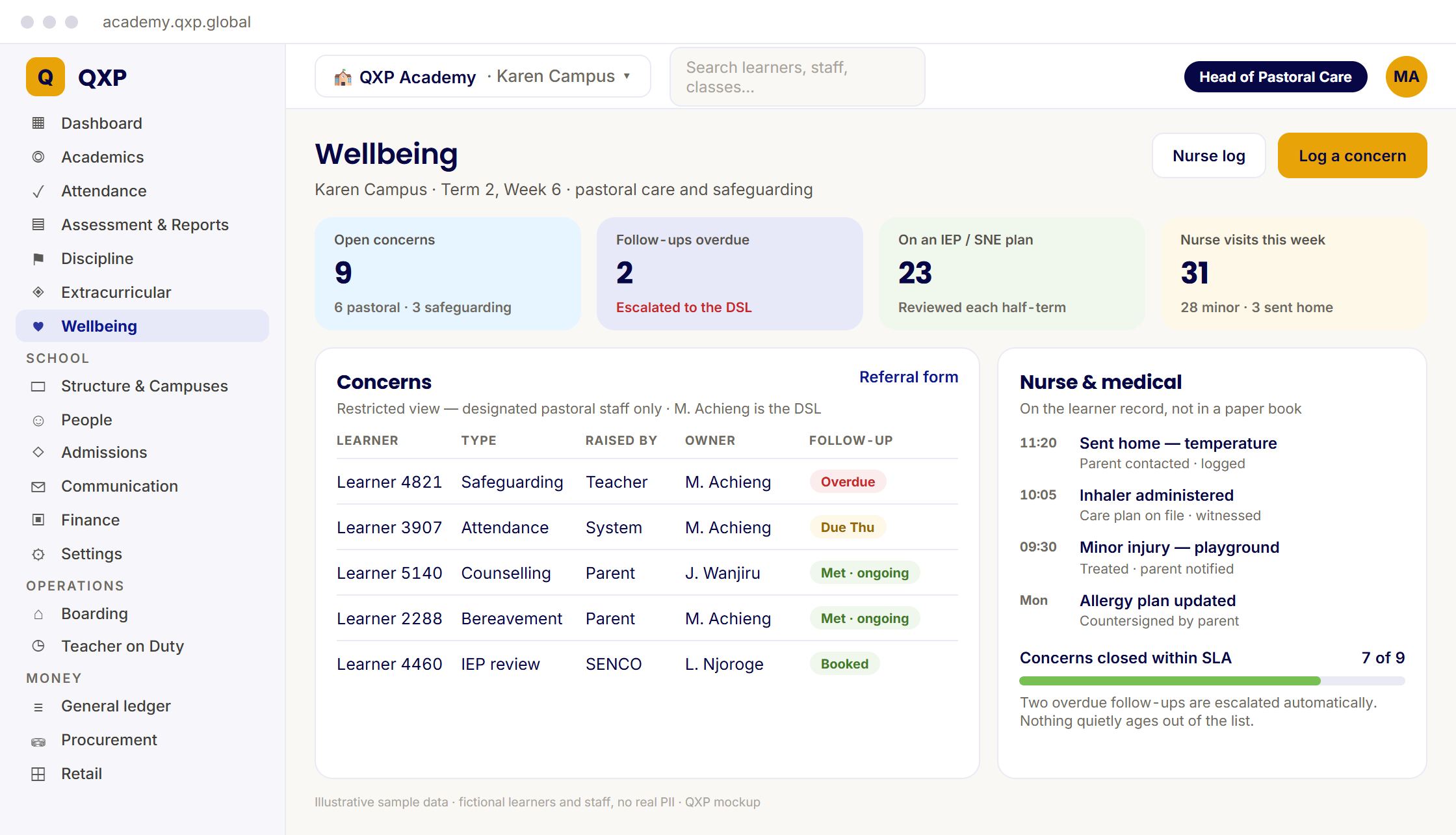
Wellbeing: nothing quietly ages out of the list
The Wellbeing module keeps concerns, counselling referrals, IEP reviews and nurse records on the learner's own record — visible only to the staff who should see them, and escalated when a follow-up goes overdue.
- Concerns logged with an owner and a follow-up date
- Overdue follow-ups escalated automatically to the safeguarding lead
- Nurse and medical records on the learner record, not in a paper book
ICT Managers & Admins
One platform instead of five
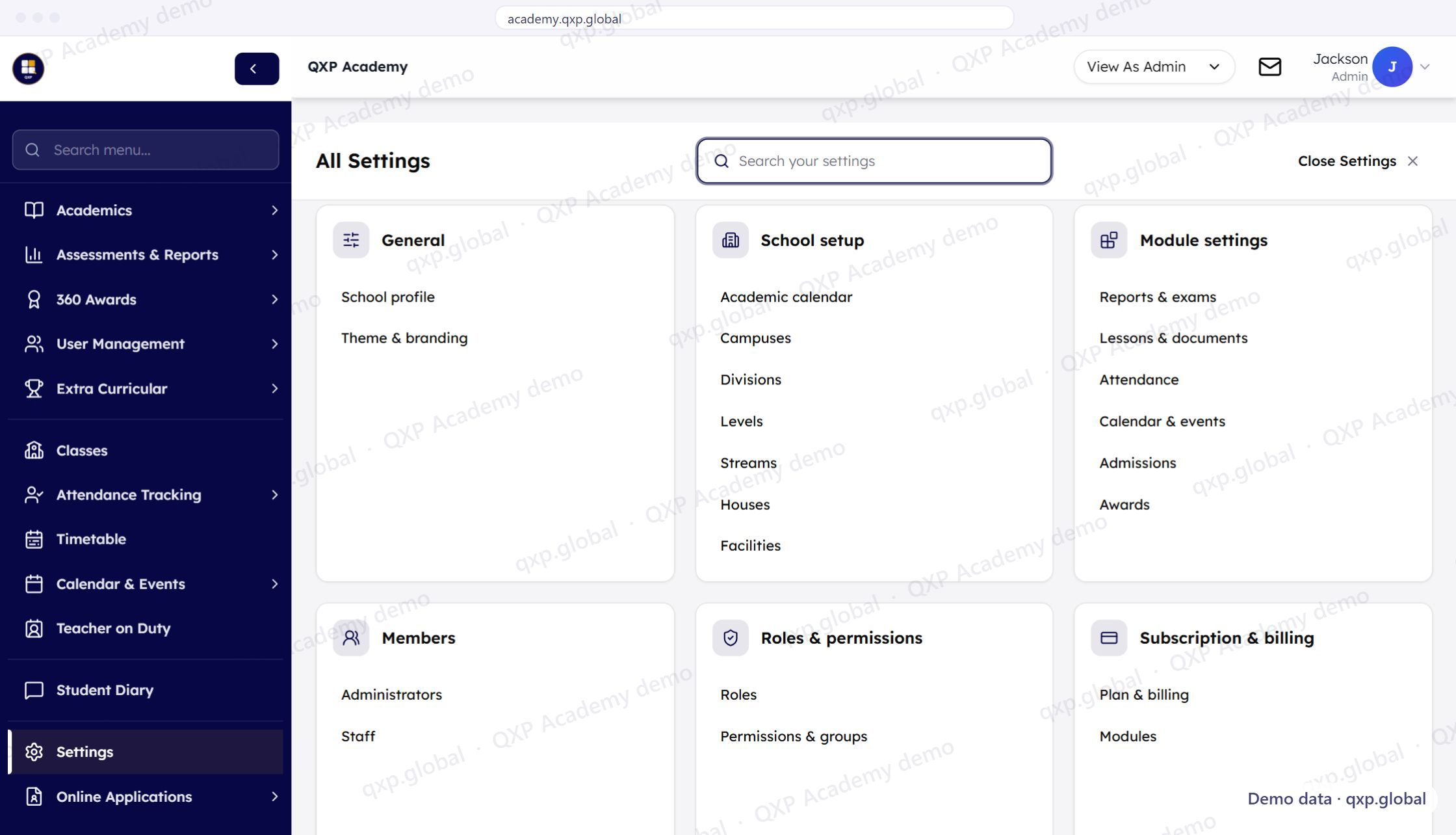
Roles, imports and a complete audit log in one system — and your school's data in its own database, not in a shared table filtered by a WHERE clause.
- Roles, and permissions and groups, in their own settings section
- School setup in one place: academic calendar, campuses, divisions, levels, streams, houses and facilities
- Administrators, staff, module settings and plan and billing beside the school profile and branding
Parents & Guardians
Your children, their reports and attendance — without chasing anyone
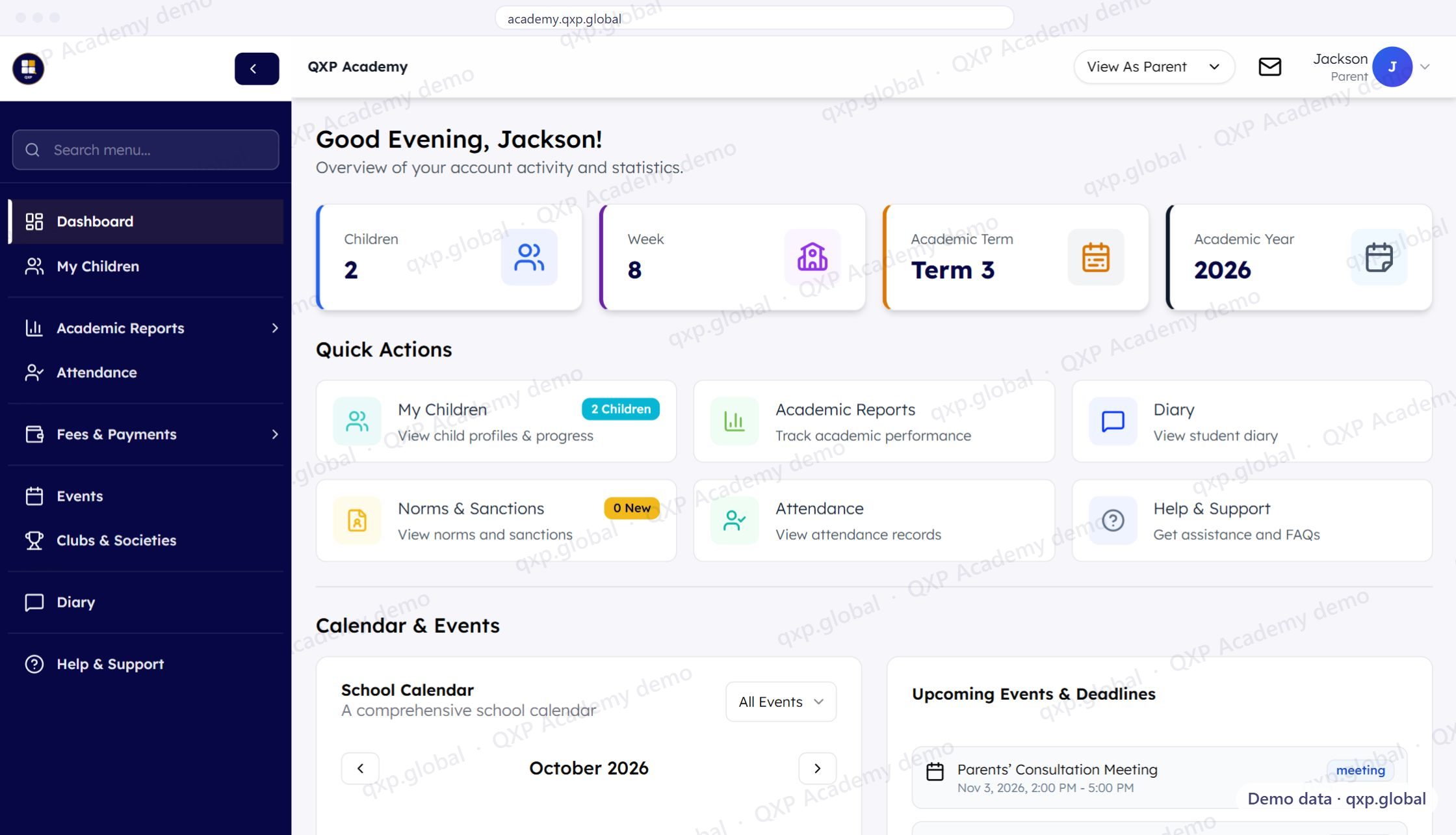
Each child's profile and progress, academic reports, attendance and the school calendar — on whatever phone you already own, without joining another WhatsApp group or messaging a teacher at nine at night.
- Fees & Payments in the menu, beside academic reports and attendance
- Each child's profile and progress, with the current term and week at the top
- Academic reports, attendance records and the student diary, one click from the dashboard
Students
One place, not six exercise books
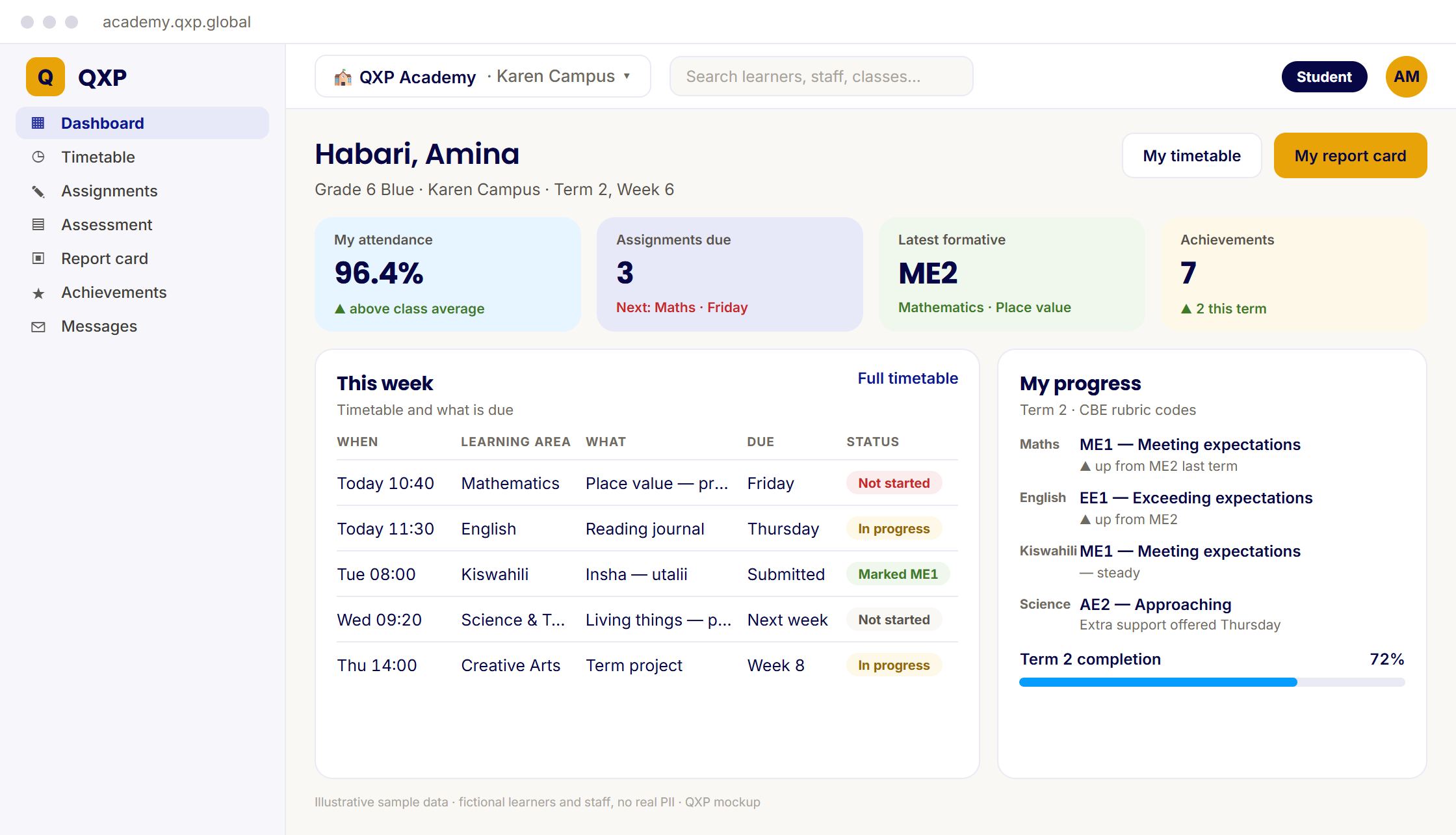
Timetable, assignments, grades, achievements and report cards together — rather than scattered across notebooks, a notice board and whatever the teacher said out loud on Tuesday.
- Personal timetable and upcoming assignments
- Grades and achievements as they are recorded
- Report cards, once published
Go deeper
Where a row wasn't enough
Six of these needed more room than a single view could give them.
Boarding schools
The school that never closes, and the hours no role row covers.
- Who is on duty tonight, and who swapped out of it
- Evening roll call against the same register as the school day
- Sick bay, exeat, and the bus home at the end of term
For bursars
The Friday afternoon version, with room for what a row cannot hold.
- M-Pesa matched automatically, and the ones that will not match
- Arrears by class, while the term can still change the number
- Who approved the discount, and whether they were allowed to
Clubs & activities
Clubs, events, consent and ECA reports, with what is live today and what is rolling out.
- Consent per event, from the parent portal
- Event and club fees by M-Pesa
- Session roll call, assessment and ECA reports
Principals
The dashboard, the day's roll call and report cards waiting for your approval.
- Learners, teachers, classes and the duty roster on one dashboard
- Roll call by class with who took it
- Report cards approved before parents see them
Deputies & HODs
Scheme of work to lesson plan to mark sheet to report card.
- Schemes of work by strand and sub-strand
- Lesson plans with approval
- Missing marks before the report
Teachers
Today's lessons, the register and marks entered once.
- Today's schedule with the plan attached
- Roll call on the web or the phone app
- Marks that save as you type
Owners & directors
What it costs, who can touch the money, whose data it is, and what happens if you leave.
- The price beside your own term fee
- Separation of duties on the money
- Export and deletion if you leave