
For teachers
Mark the register, enter the marks, move on
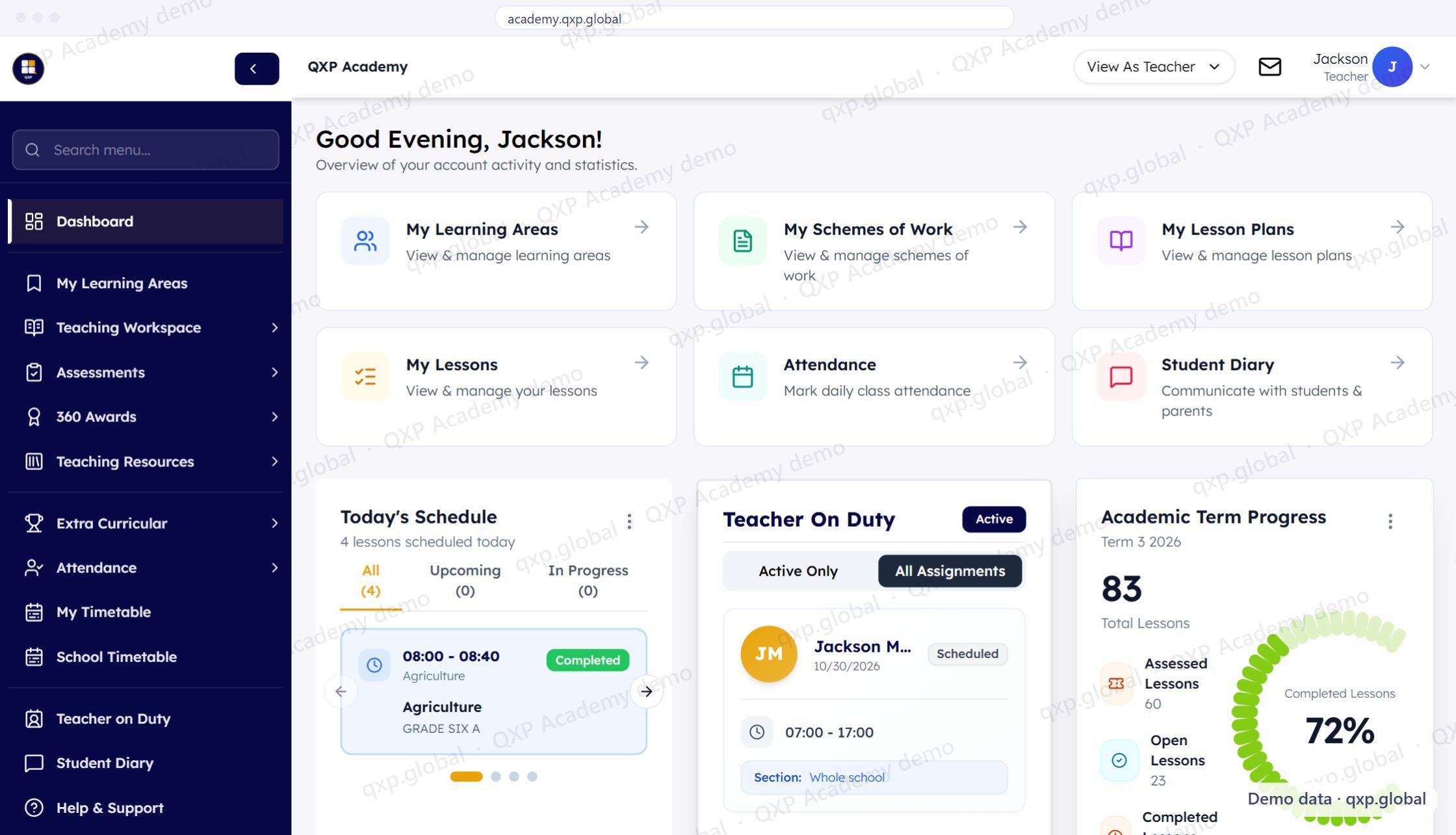
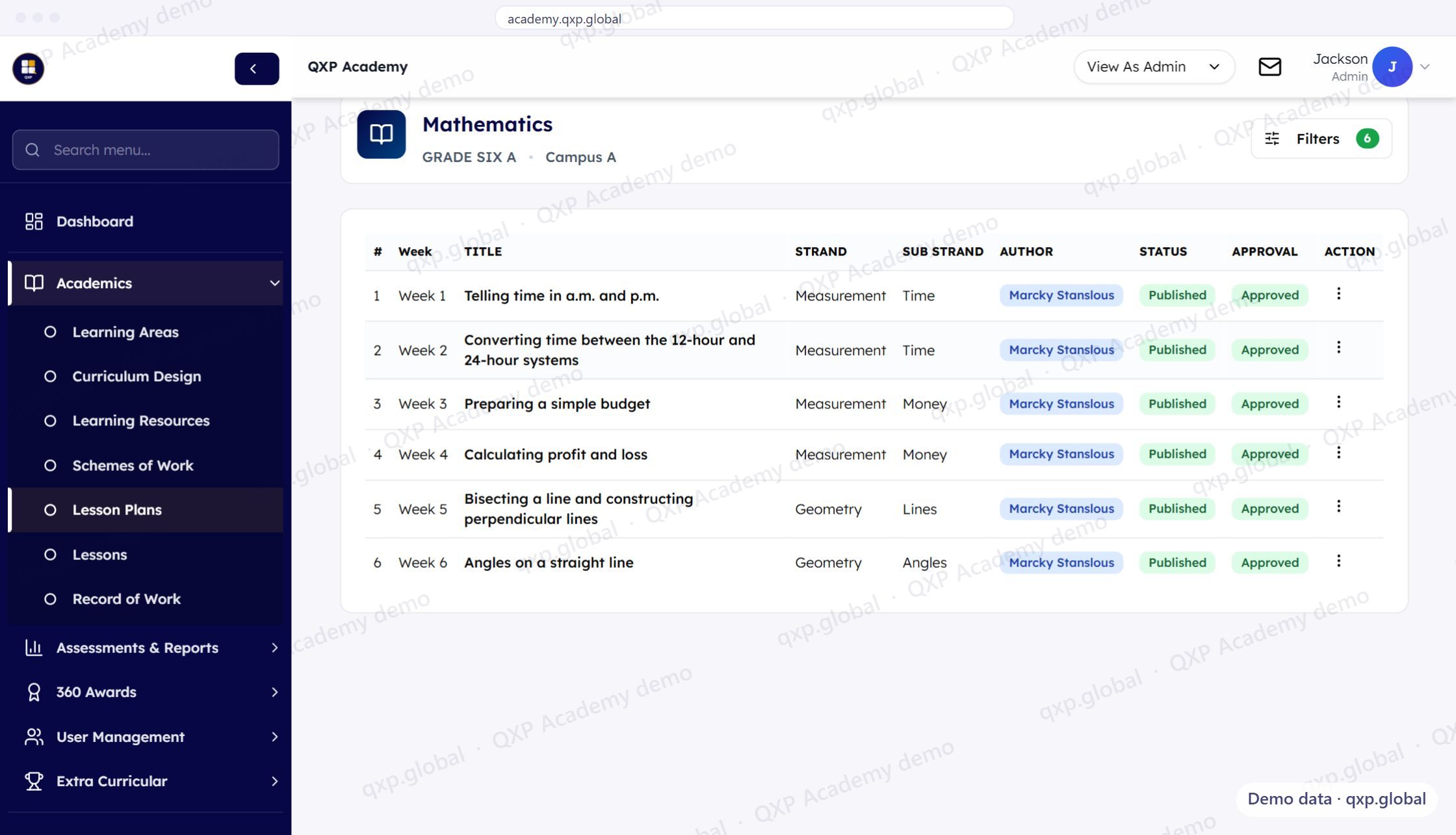
Today's lessons are on your dashboard, with the scheme of work and lesson plan behind each one. The register you mark and the marks you enter become the attendance record and the report card, so nothing is copied out twice.
Your day
Everything for today's lesson, already attached
Today's schedule
Each lesson with its time, subject and class, from the published timetable, and term progress showing lessons completed, assessed and still open.
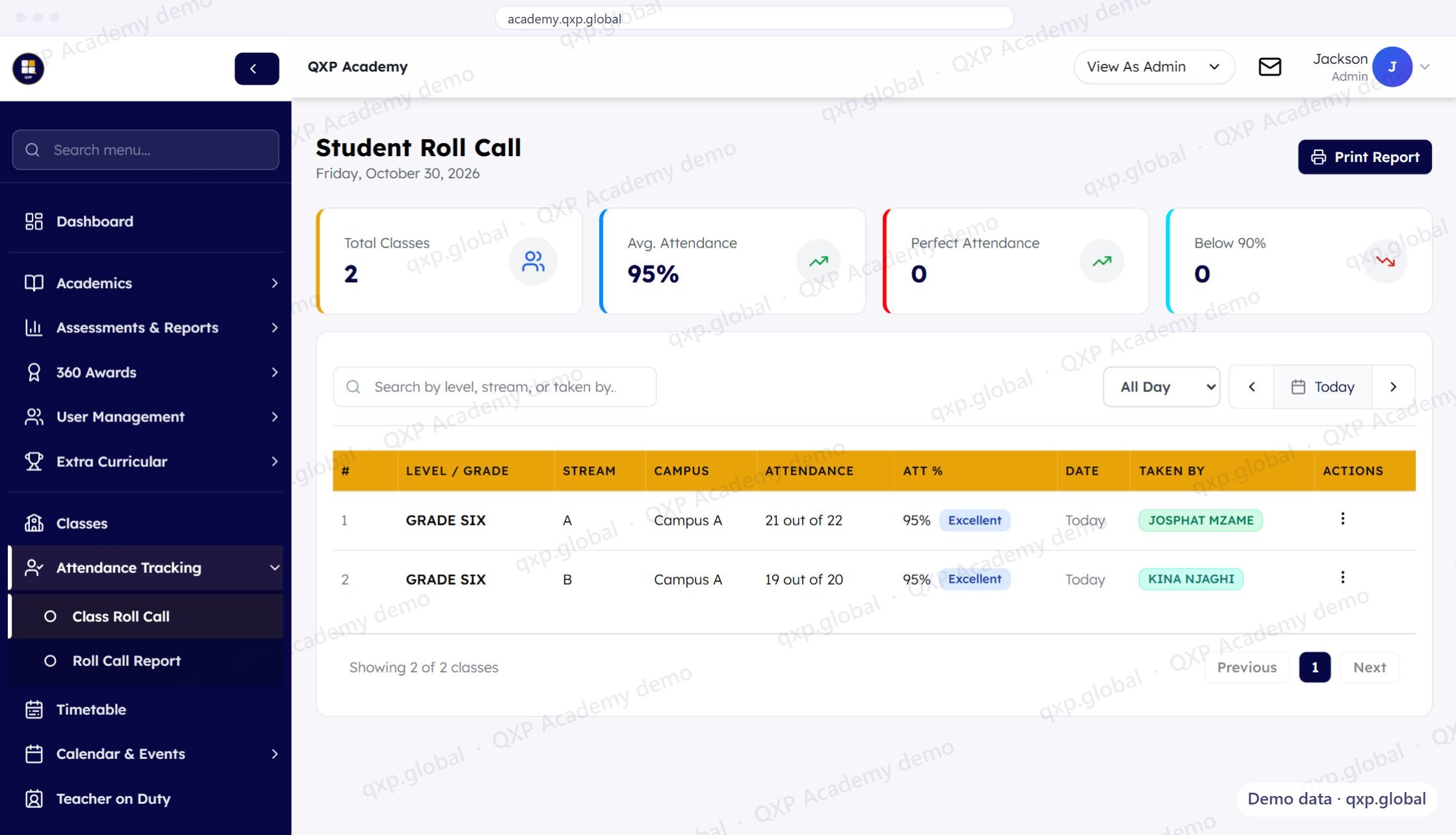
The register
Mark the class roll call on the web or the phone app. It is recorded with your name, so nobody has to ask who took it.
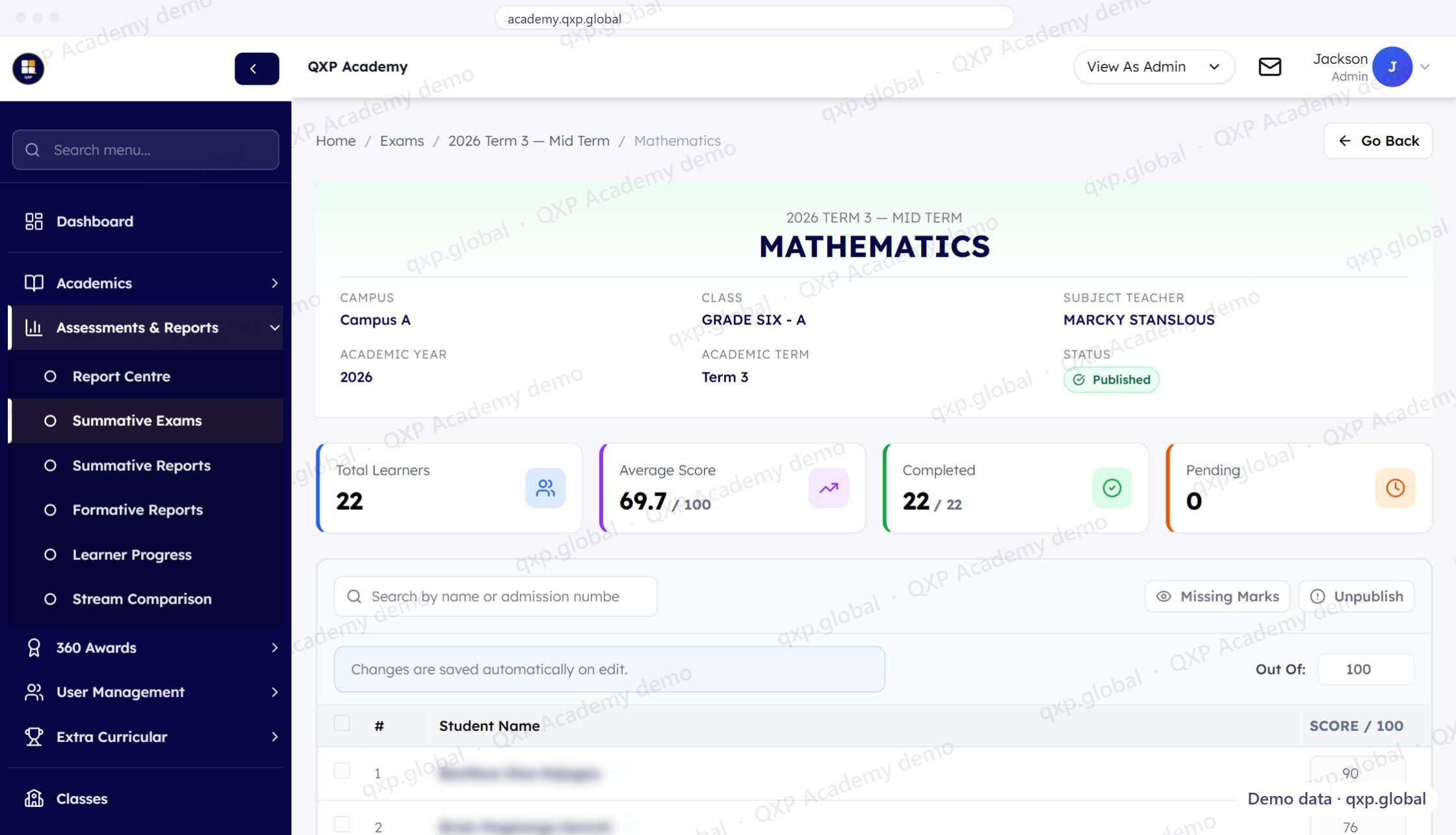
Marks entered once
Enter a score per learner and it saves as you go. The report card is built from those marks, not typed again at the end of term.
Homework and the diary
Set homework for your class and talk to parents through the student diary, from the same dashboard.
On screen
Three screens from a teacher's week
Real screens from QXP Academy, our demo school. The data is made up and learner names are masked.
Desk and phone
What is on the web, and what is in the app
- Your dashboard and today's schedule
- Schemes of work and lesson plans
- Record of work
- Roll call and attendance
- Mark entry, formative and summative
- Homework and the student diary
- Your dashboard
- Class roll call
- A learner's attendance
- Formative and summative reports
Packages
In every package
Academics, timetable, attendance, assessment and reports are in Core, so every QXP package has them. Teacher on duty and discipline come with Plus. The price per user per term is on the pricing page.
Try a teacher's day on the demo school
A live walkthrough on QXP Academy: the dashboard, a register, a lesson plan and a mark sheet.