
The platform
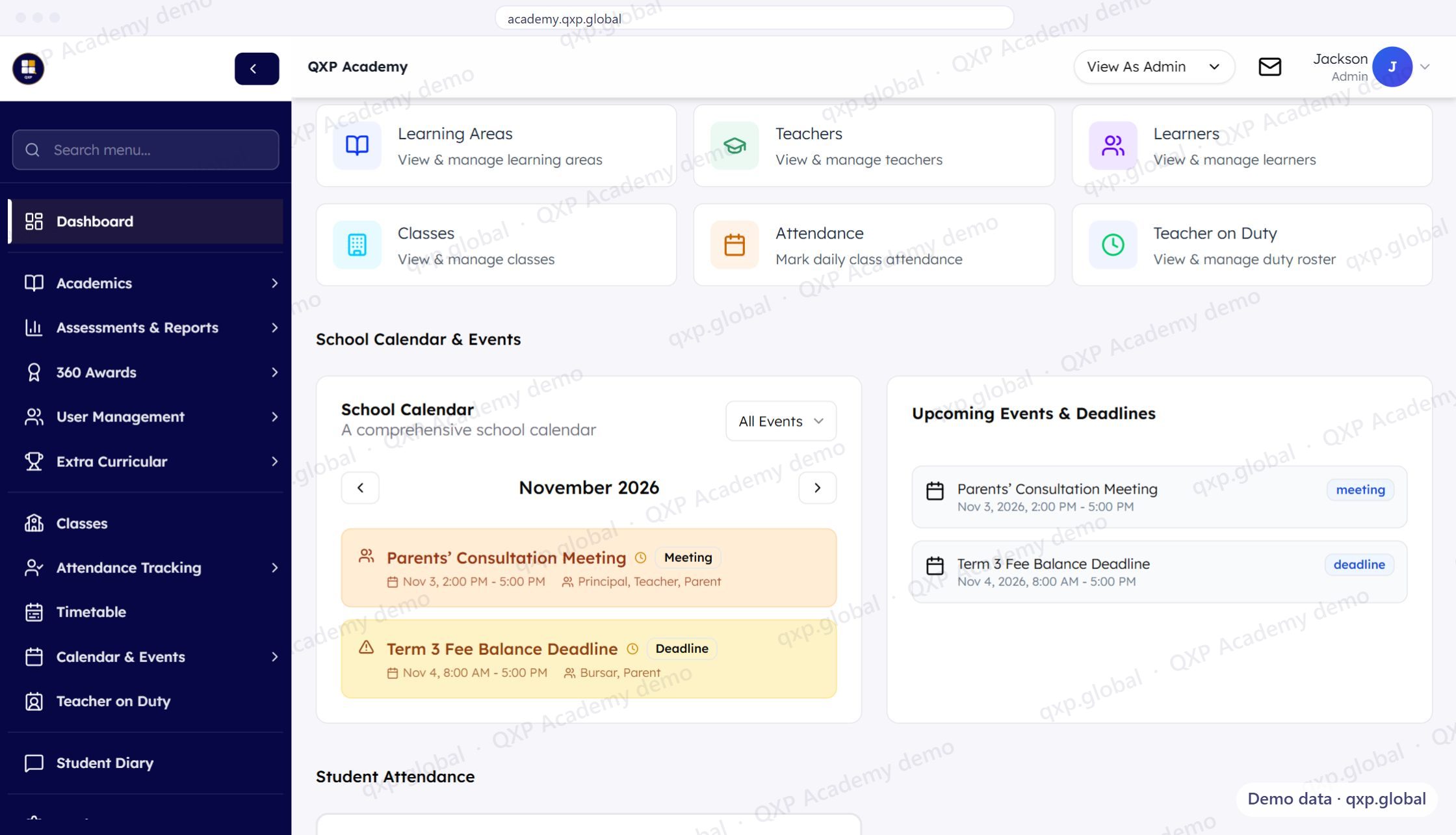
From the scheme of work to the receipt. One connected system.
QXP connects planning, teaching, attendance, assessment, reporting and parent visibility — and the fees, M-Pesa reconciliation and ledger behind them. Every module shares the same data. Nothing is re-typed.
How it connects
One workflow. Seven steps. Zero re-typing.
Data entered at step 1 flows through every step. Teachers enter once. Reports generate automatically.
Curriculum
Start with your curriculum framework. CBE strands and sub-strands. 8-4-4 subjects. QXP maps it all.
Scheme of Work
Build your term plan. Allocate strands to weeks. Set learning objectives. The scheme becomes the backbone of every lesson.
Lesson Plan
Each lesson inherits from the scheme. Subject, class, duration, strand, objectives, and resources pre-filled. Teachers refine, not rebuild.
Attendance
Mark attendance per lesson. One tap per student. Daily roll call and lesson-level tracking, both linked to the timetable.
Assessment
Enter formative marks per strand throughout the term. Run summative exams. QXP applies the official rubric codes automatically.
Report Card
Reports generate from live assessment data. No re-typing. No Word template. HOD reviews, principal approves, parents receive.
Parent Portal
Parents see attendance, grades, published reports, and announcements. From their phone. No app download.
Core modules
The modules, across three packages
The teaching chain, and what a school does besides teach — boarding, the duty rota, the sick bay, the library, admissions. Core, Plus and Whole School each include the one before it, and nothing is gated inside a package. See pricing for what each holds.
Curriculum-first planning and delivery
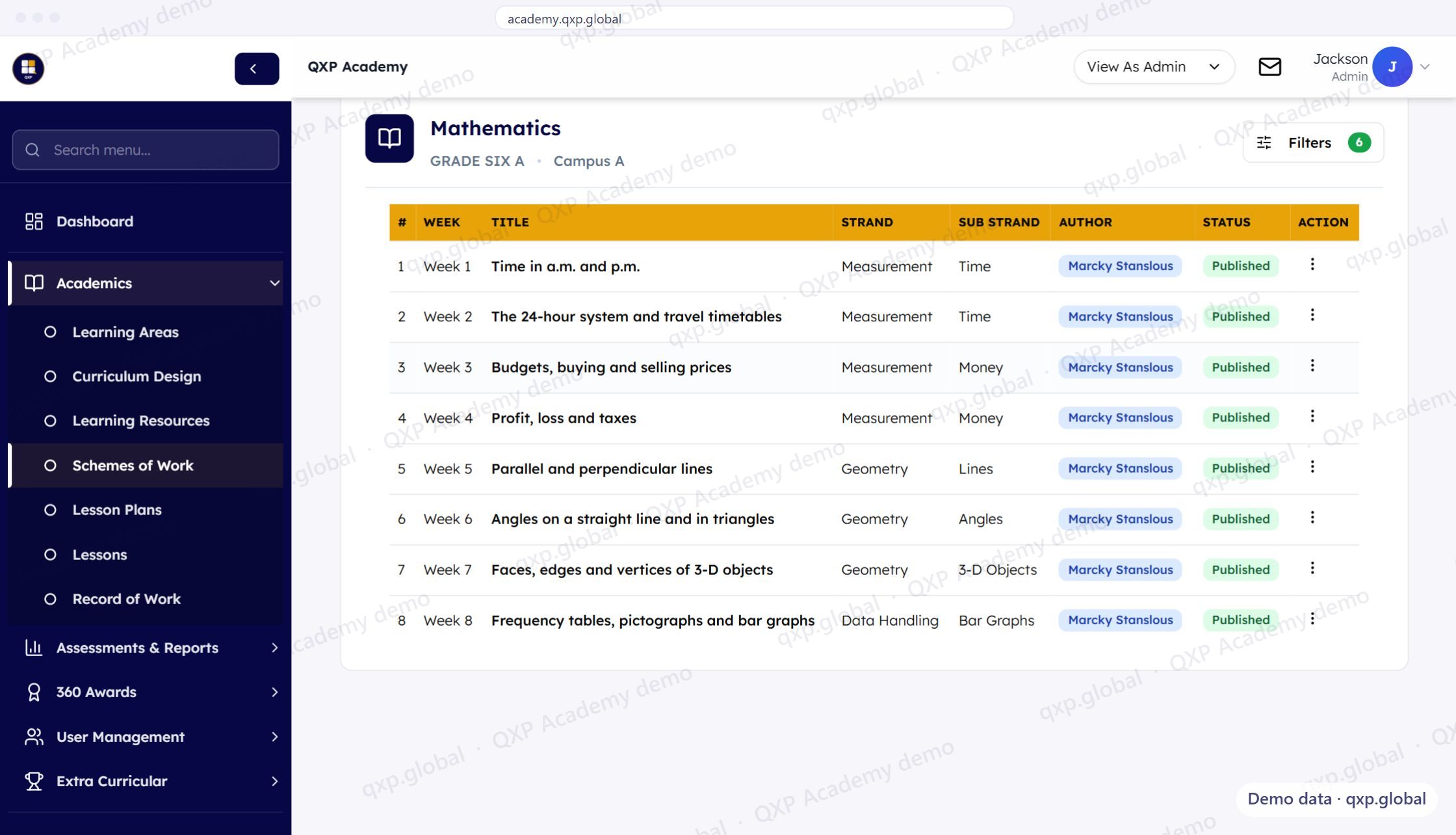
Build schemes of work from your curriculum framework. Create timetable-linked lesson plans. Track delivery by strand and sub-strand. Export as PDF, Word, or Excel.
- Scheme of work builder (CBE, 8-4-4)
- Timetable-linked lesson plans
- Strand and sub-strand tracking
- Teacher workspace with export options
- School-wide question bank (MCQ, essay, pictorial)
- Approval workflows for schemes and plans
Role-based access
Every role sees what they need
Every role gets a tailored view of the same data — from the board's multi-campus dashboard down to a parent checking one child's attendance.
Add-on and extras
The money side, and the messaging
Five add-ons, each counting only its own people: Fees on Core or Plus at KES 149 per learner per term (fee structures, invoicing and M-Pesa collection; Whole School already includes it), Accounts at KES 199 per learner per term on Core or Plus (fee billing plus the books, procurement and the retail wallet), or KES 50 per learner on Whole School, which already bills fees, ECA on Core or Plus at KES 99 per learner per term (clubs and activities; Whole School already includes it), People on any package at KES 450 per staff member per term (HR, payroll and appraisal), and Transport on any package at KES 300 per learner on transport per term. Fee billing and parent statements come with Whole School. WhatsApp and SMS are different — they are configured per school and charged at what the messages cost, because they are metered.
Fees and money
Fee structures, invoicing, payments, credit notes and M-Pesa reconciliation are built and running, and a parent can see fees in the QXP mobile app. The general ledger, procurement, retail and staff records are built for web. HR and payroll are part of this module, not a separate product. Fee billing is in Whole School, or the Fees add-on on Core and Plus. The books are the Accounts add-on on any package. HR and payroll are the People add-on on any package.
Transport
Bus routes, vehicle fleet, crew compliance, trip roll call, telemetry and incident handling are built, with parent-facing screens in the mobile app. Operational dashboards for transport coordinators. The Transport add-on (per learner on transport), on any package.
Integrations
M-Pesa (Daraja) is connected for fee payment and reconciliation, and Opiq digital textbooks sync into the library. The rest is not connected - tell us which integration would actually change your decision, and that is how it gets prioritised.
Infrastructure
Built for school IT realities
Cloud-based
No installation. Works on any browser. Chrome, Safari, Firefox, Edge. Requires internet connection.
Role-based access
Granular permissions per role and per campus. Teachers see their classes. Principals see their campus. Owners see everything.
Multi-tenant
Each school gets its own database. Isolation is structural — one school cannot read another's data, rather than being filtered out of the results.
Full audit trail
Every action logged. Who changed what, when. Exportable. Required for compliance and dispute resolution.
Multi-campus
Multiple campuses per school. Unified data. Cross-campus analytics. Campus-level staff and student management.
Isolated by construction
Each school gets its own database — not a shared table with a school_id column. One school cannot read another's data even if a query is written wrong, because the data is not there to read.
CSV imports
Bulk import students, staff, grades, and timetables via CSV. Validation before import. Error reporting.
Works on a bad connection
Built for the network schools actually have. Requires internet, but designed for the low-end Android phones most teachers and parents are on.
Responsive
Works on desktop, laptop, tablet, and mobile. Teachers mark attendance from their phone. Parents check grades.
Migration
Bring your existing data
Moving from spreadsheets or another system? We handle the import.
Student records
Import student lists from CSV or Excel. Names, grades, streams, parent contacts. Validated before import.
NEMIS data
Import NEMIS-exported student records. UPI numbers, birth certificates, special needs flags preserved.
Historical grades
Import past term grades so report cards show progression. Per-subject, per-term, per-student.
Timetable
Import your existing timetable. Classes, subjects, teachers, rooms, time slots. Or build from scratch in QXP.
Our implementation team helps with every import. You do not need to do this alone.
Onboarding
Live in three days
Not weeks. Not months. From signup to the first attendance register marked in QXP.
Tenant and structure
Data and curriculum
Go live
Week 2: ongoing support, teacher check-ins, assessment configuration review.