
For ICT managers & admins
One platform to administer, and each school in its own database
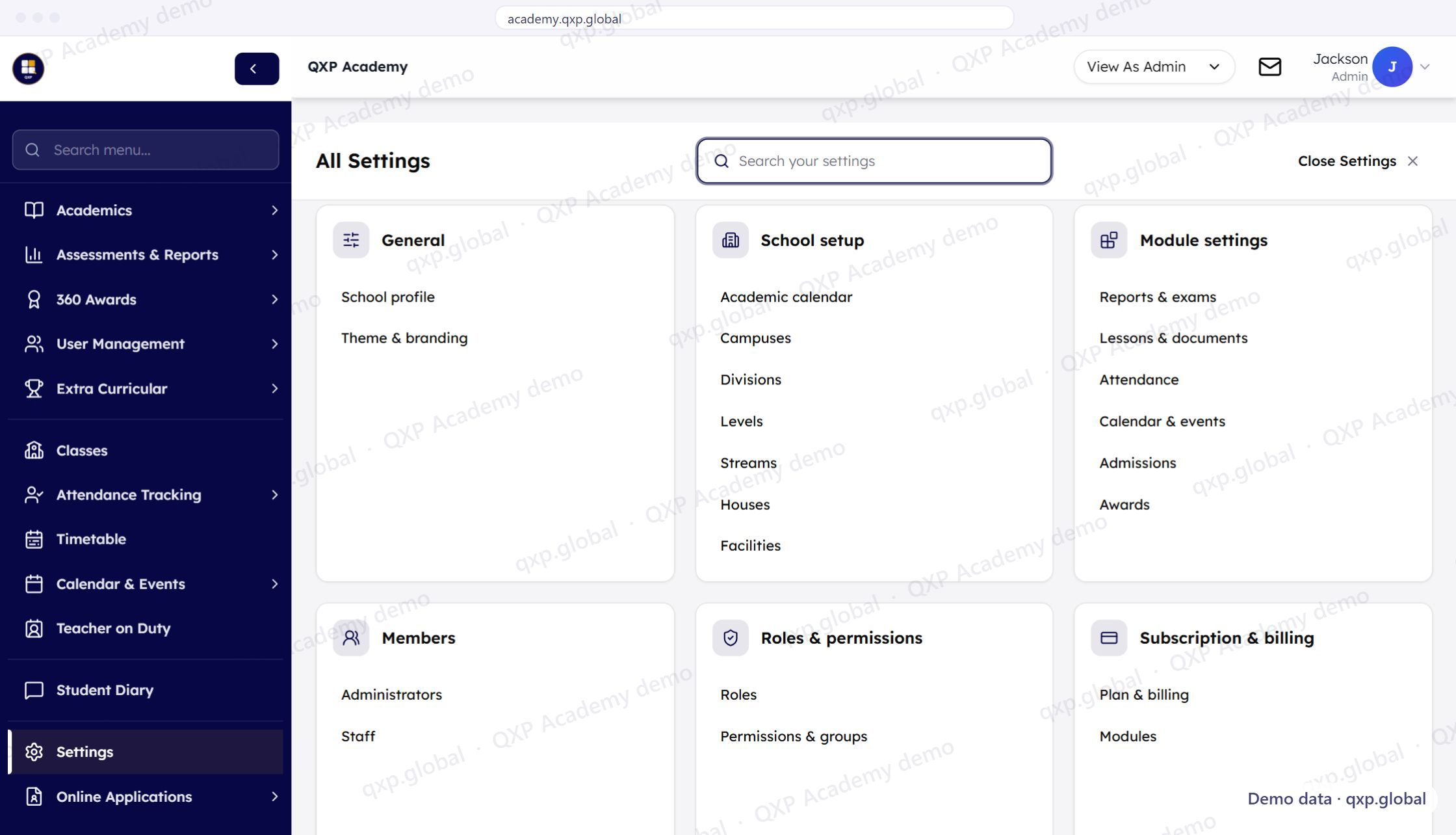
Roles, permissions and groups have their own settings section, beside school setup, module settings, administrators and staff, and plan and billing. Data comes in as CSV, every action is written to an audit trail, and each school's data lives in its own database rather than in a shared table with a filter on it.
What you do
The admin side of the school, in one place
Roles, permissions and groups
Roles, permissions and permission groups are set in their own settings section, so each person sees what their job needs and no more.
School setup in one place
Academic calendar, campuses, divisions, levels, streams, houses and facilities are set up once and used by every module.
Imports as CSV
Bring data in as CSV: NEMIS data, opening fee balances, Senior School subject combinations, and the rosters and results for the national exams.
An audit trail
Every action is written to an audit trail, so you can answer who changed what.
Members, modules, plan and billing
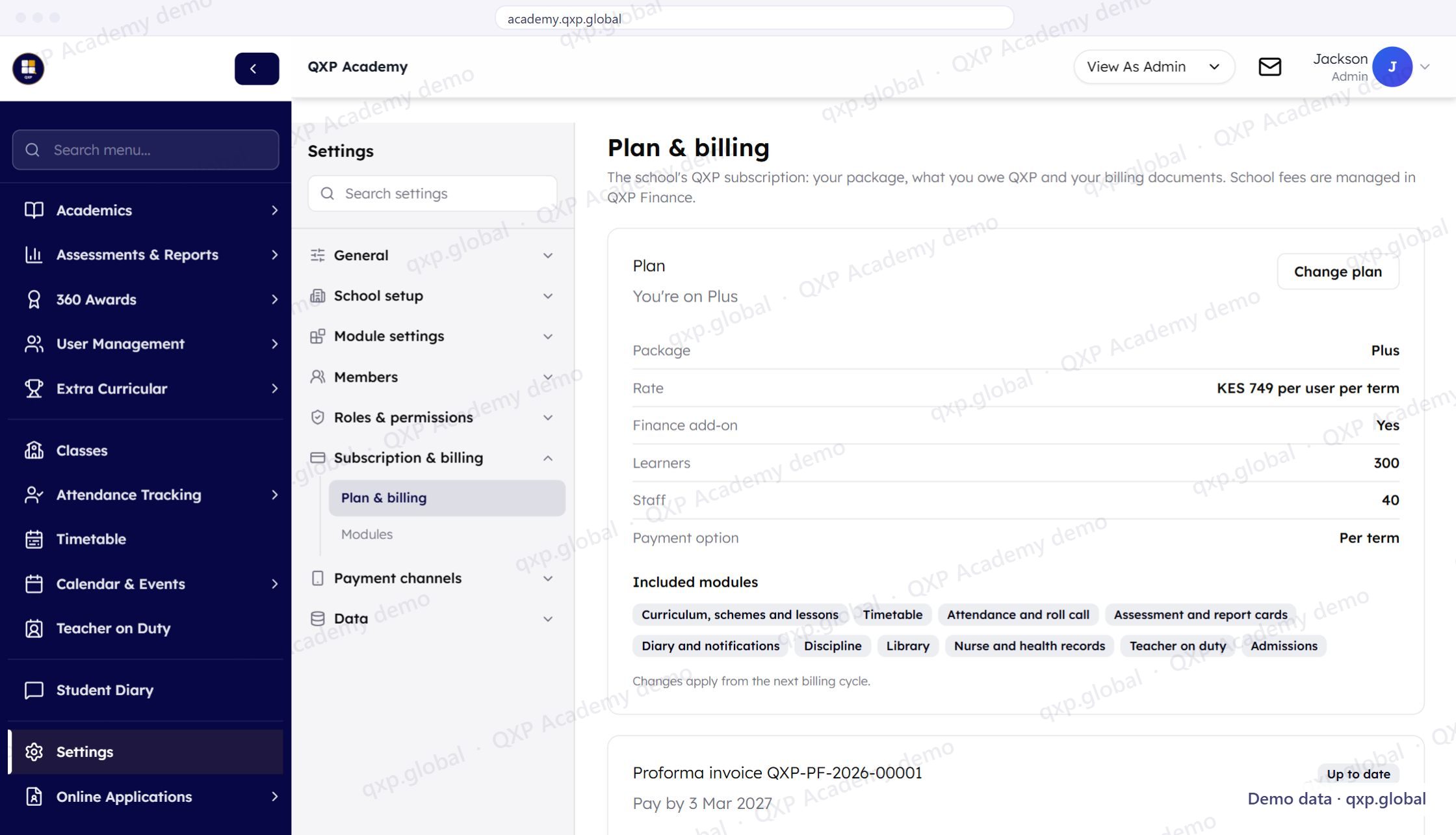
Administrators, staff, module settings and the school's plan and billing sit beside the school profile and branding.
Each school's data, kept apart
Each school's data is in its own database, so one school cannot read another's. That is structural, not a filter someone has to remember to apply.
Straight answers for your checklist
There is no public API, no offline mode, and QXP is not independently security-audited. Hosting is on DigitalOcean in the United States, which the Privacy Policy sets out. If your procurement needs more, email info@qxp.global.
On screen
A screen an administrator opens
Real screens from QXP Academy, our demo school. The data is made up and learner names are masked.
Packages
In every package
Roles, permissions, school setup, imports and the audit trail are in every QXP package. Which modules a school switches on depends on its package.
See the admin side on the demo school
A live walkthrough on QXP Academy: settings, roles and permissions, an import, and the audit trail.