
Pre-primary · PP1-PP2 · CBE
Run PP1 and PP2 with short lessons, rest blocks and parents in the loop
QXP sets up the CBE levels from PP1, with a pre-primary timetable template, four-band ratings and a parent diary, on the same record the rest of the school uses.
What you are dealing with
What this stage asks of a school
Parents want to see their child's day and progress, not a mark.
A Grade 7 timetable does not fit a PP1 morning: the lessons are shorter and there has to be a rest.
The rating has to be simple enough for a parent to read at the gate.
I need to know which approved books we hold for pre-primary.
What QXP runs at this stage
The timetable, the rating and the parent's view
Each of these is in QXP today, on one learner record that carries on into Grade 1.
The CBE levels, from PP1
When the school's CBE curriculum is created, QXP sets up the levels from PP1 and PP2 upward.
A pre-primary timetable template
A timetable template with 30-minute lessons and a rest block.
Four-band ratings
Ratings use four bands, the same scale from PP1 to Grade 6.
Approved books at pre-primary level
The approved-books register covers the pre-primary level.
The daily register
Take the roll call each day, with the parent notified of an absence.
The parent portal and diary
Parents see attendance and published reports in the parent portal, and write to the teacher through the diary.
Report cards
Formative and summative reports, reviewed and approved before they reach parents.
Fees, if the school uses them
Fee billing is there for the schools that use it.
Every morning
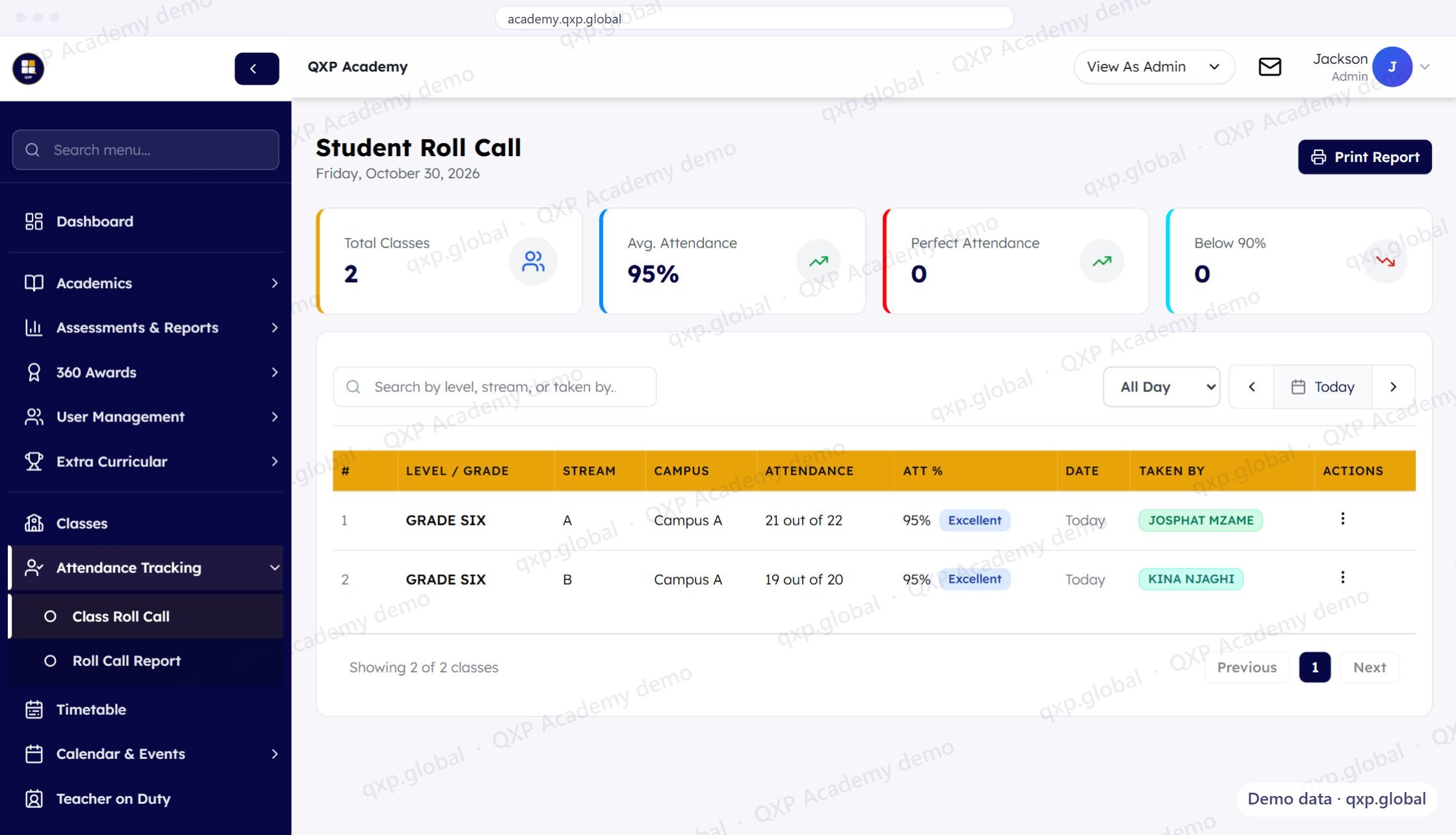
The register, taken once
The daily roll call sits on the same record as the learner, so the class list, the register and the parent's view agree.
- Each class with its attendance count and percentage
- Who took the register
At home
Parents see the day
The parent portal opens on each child, with the diary, attendance and academic reports a tap away.
- Each child, with a week, term and year view
- Quick actions for reports, diary and attendance
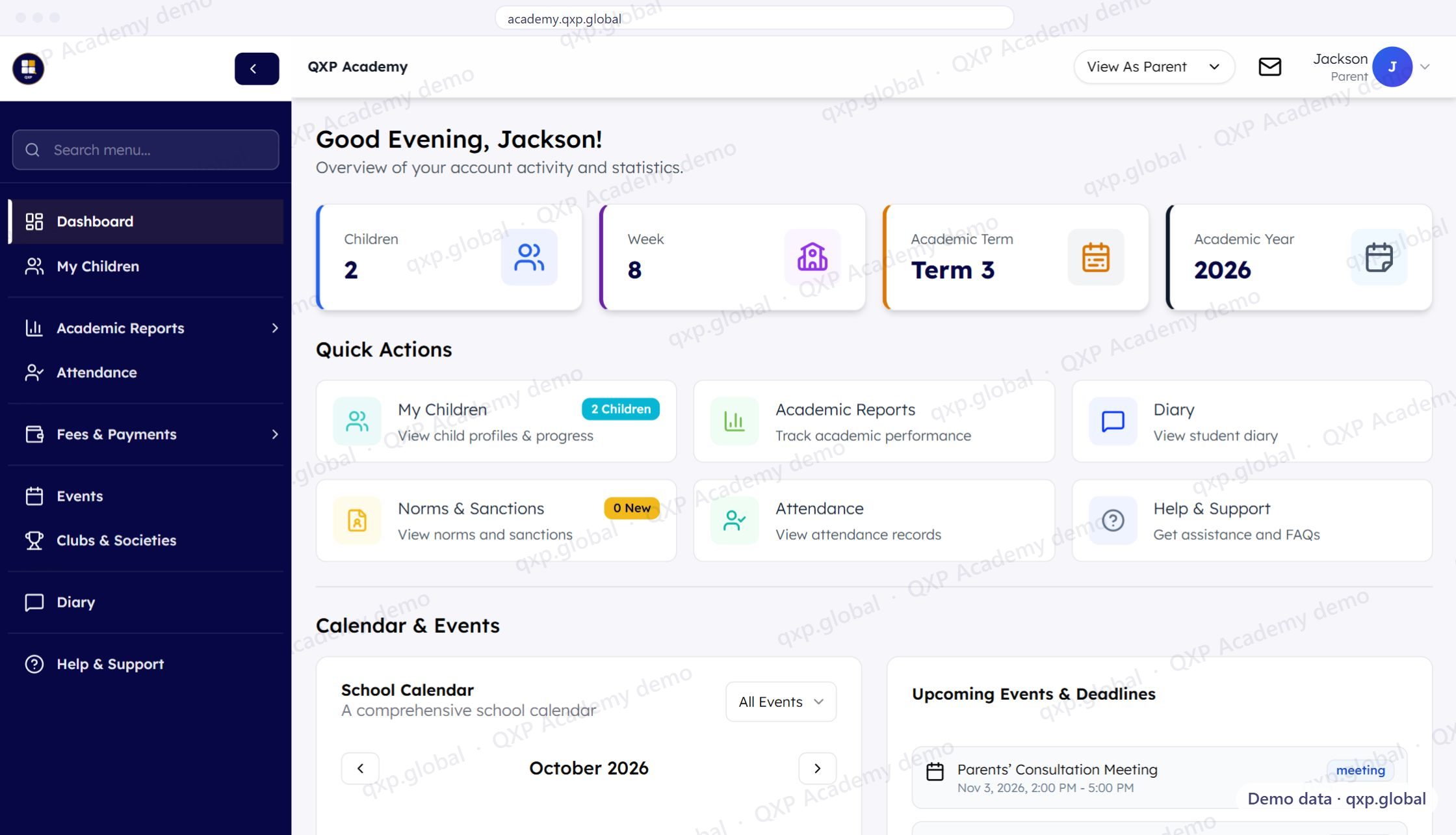
QXP Attendance and the Parent Portal, shown with demo data. Ask us to show you the pre-primary timetable and rating screens in a demo.
The question behind the question
Before you commit
Our youngest classes do not need a system built for exams.
There is nothing exam-shaped in PP1 and PP2 here: a short-lesson timetable, a four-band rating, the register and the diary. The same learner record carries on into Grade 1.
Teachers will not take on another system.
The teacher workspace follows the planning teachers already do: the scheme, the lesson plan, the register, the mark. It is not extra admin on top.
Pre-primary is part of CBE on QXP, and Primary (Grade 1-6), Junior School (Grade 7-9) and Senior School (Grade 10-12) sit on the same school record.
See Pre-primary on a seeded sample school
Book a demo. We show the timetable and the parent's view on a fully seeded sample school, not on slides.