
For admissions & registrars
From the first enquiry to the first register, on one record
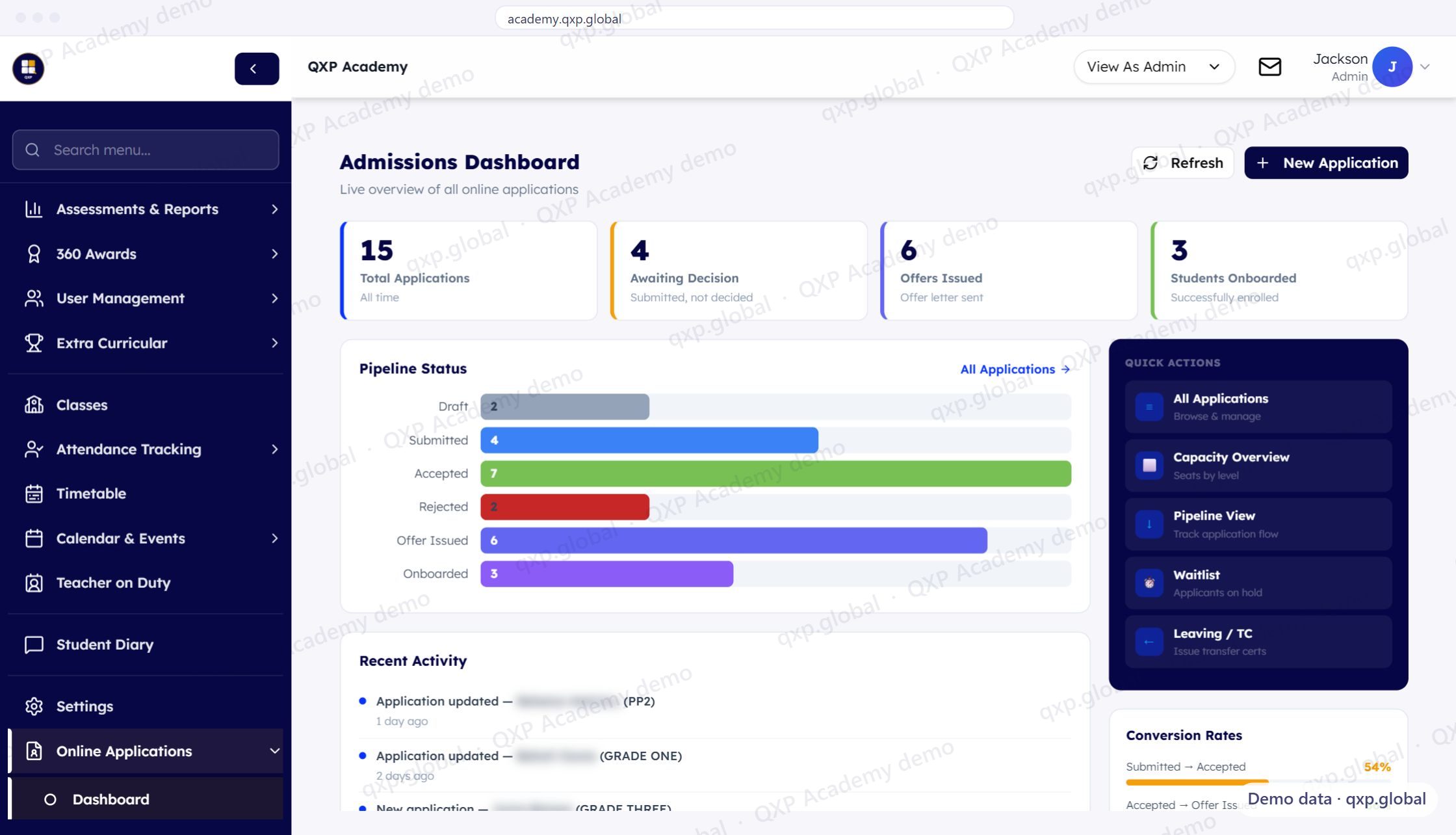
Families apply on a public online form, and every application sits in one list by stage, with capacity beside it. You check the documents, issue an offer letter, and send the family a private link to accept or decline. Once they accept, onboarding, transfers and exits are on the same record, so nothing is retyped between the gate and the classroom.
What you do
Every step, in one pipeline
One form, one list
The public application form shows the school's privacy notice and the combinations you offer. Every application lands in one list by stage, from draft to onboarded.
Documents and checks before an offer
Collect and verify the documents on each application. Before a place is offered, QXP checks for sibling and duplicate applications. A warning asks for a reason; it never blocks you.
Offer letters and a link the family answers
Issue an offer letter as a PDF from your own template, and send the family a private accept-or-decline link with an expiry date and, if you set one, a deposit line.
Capacity and the waiting list
See capacity by level beside the applications. A full class warns you and asks for a reason. The waiting list runs by sibling, transfer and date applied, and you can set a manual priority with a reason.
Onboarding, with a guardian access sheet
Onboard an accepted learner into the class, and print the guardian access sheet for a family that uses only a phone. Walk-ins and enquiries go onto the same record.
Transfers, exits and the alumni list
Transfers in, clearance and exits are on the learner record. When a learner moves school, you prepare a transfer pack of their academic record, and leavers are kept on an alumni list.
Desk and phone
Where you use it
Admissions is a web screen: use it in a browser on a desktop or laptop. It is not in the phone app. Families answer an offer on their own phone, in a browser, from the link you send.
Packages
In Plus and Whole School
Admissions come with Plus and everything above it. Core does not include them. The price per user per term is on the pricing page.
See an application become an enrolment
A live walkthrough on QXP Academy: an application, its documents, an offer letter and the capacity view.