
For principals & headteachers
Know how the term is going before anyone has to tell you
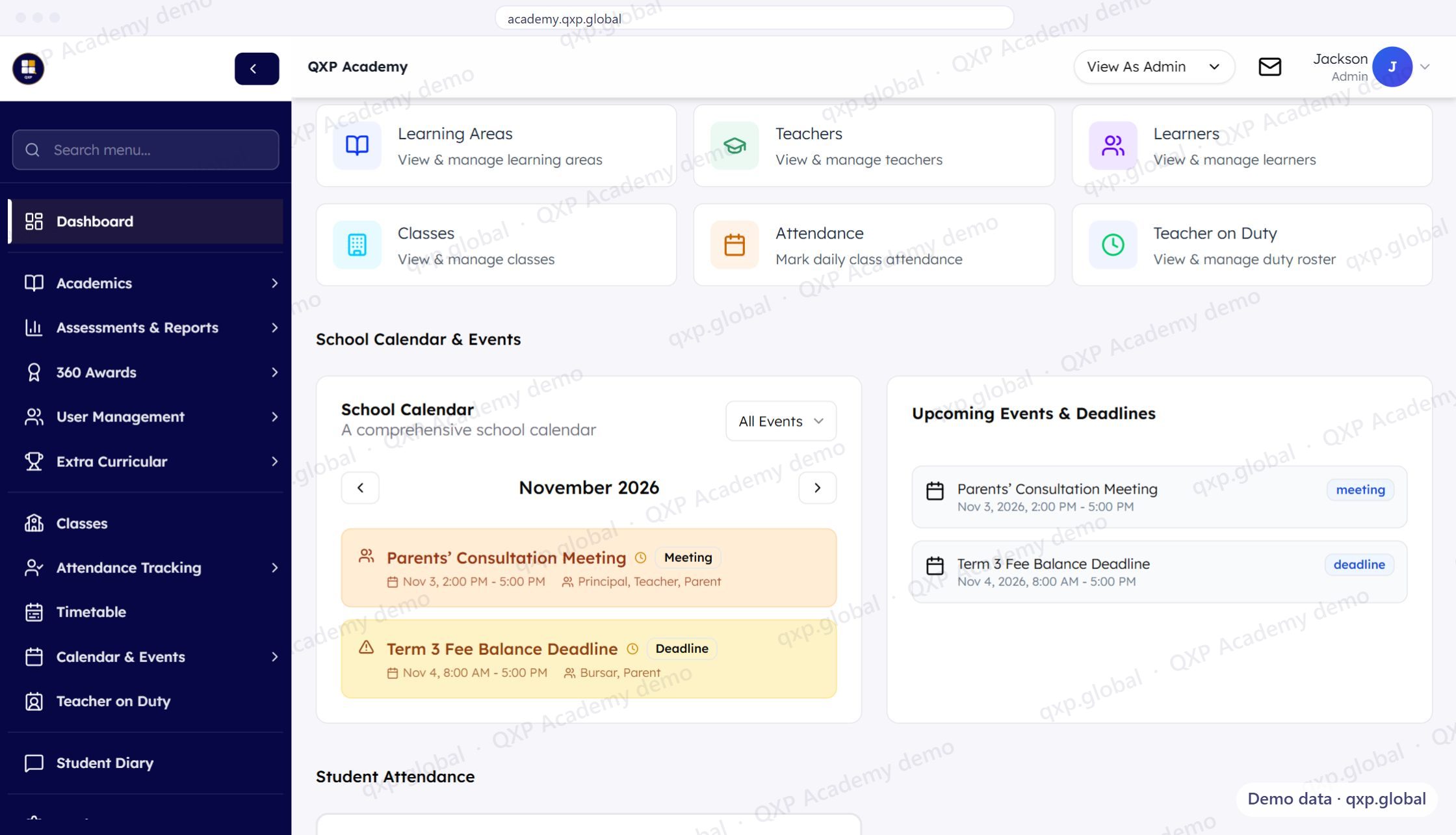
The dashboard opens on learners, teachers, classes, attendance and the duty roster, with the school calendar and its deadlines below. Report cards reach you for approval, built from the marks teachers have already entered, so the end of term is a review and not a scramble.
What you see
The school on one record, not on six desks
The school on one dashboard
Learning areas, teachers, learners, classes, attendance and teacher on duty, one click from the dashboard, with the school calendar and upcoming deadlines underneath.
Attendance without walking the corridors
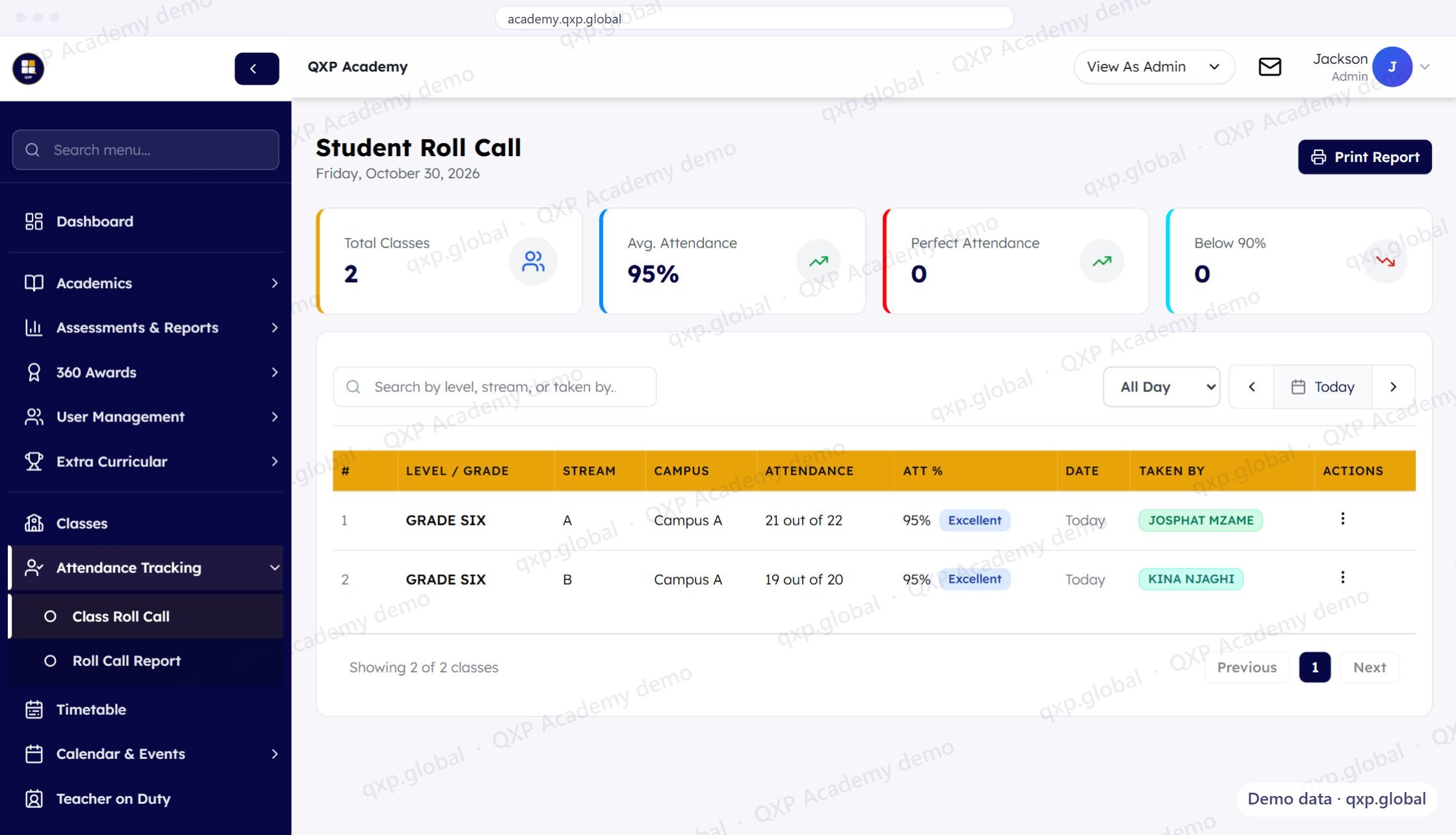
Each class's roll call for the day, with who took it and the attendance rate, and a roll call report you can print.
Report cards you approve, not retype
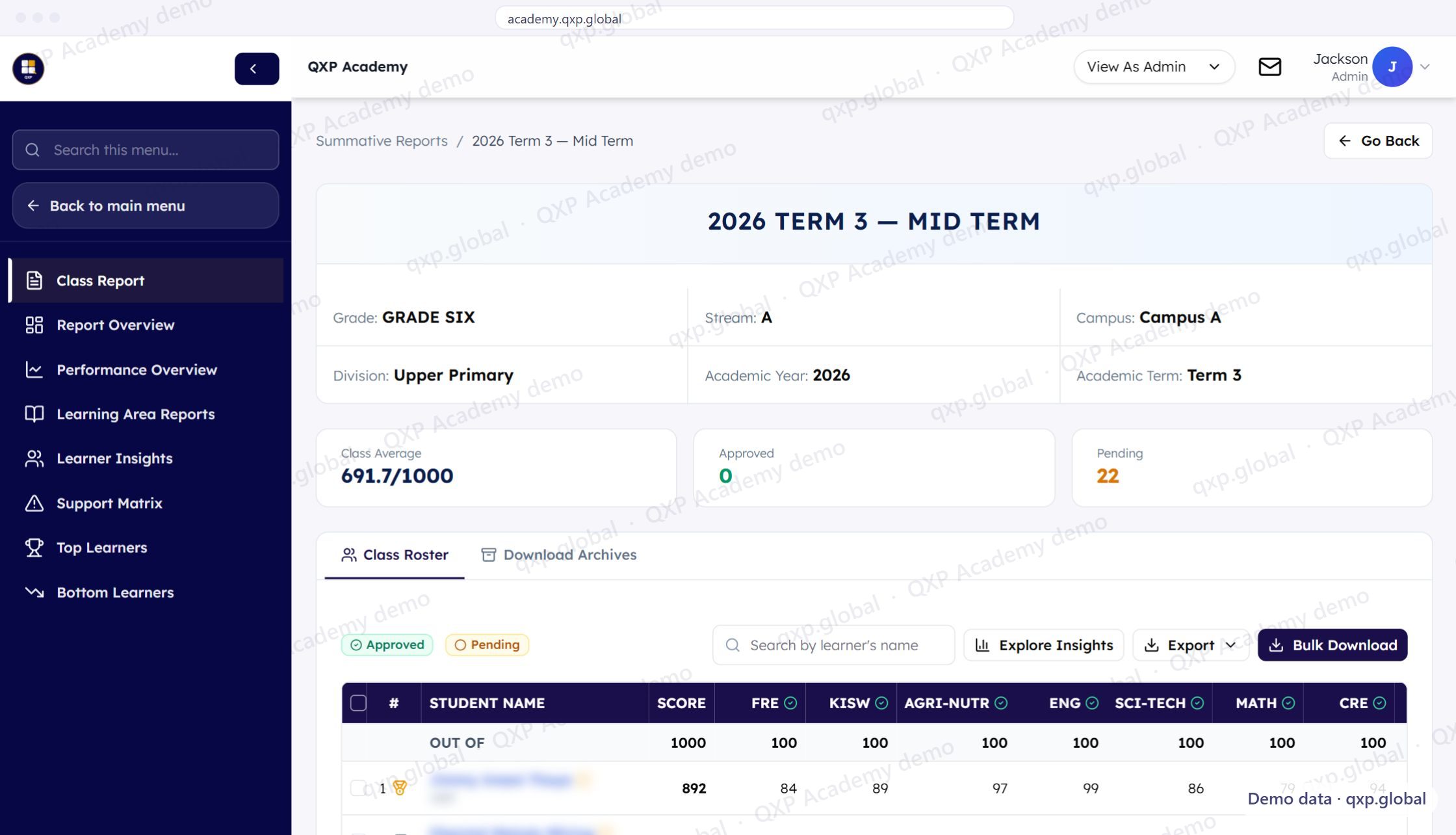
Summative reports are built from marks already entered. Each class report shows the class average and how many learners are approved or still pending, and you approve them before parents see them.
Curriculum coverage you can look up
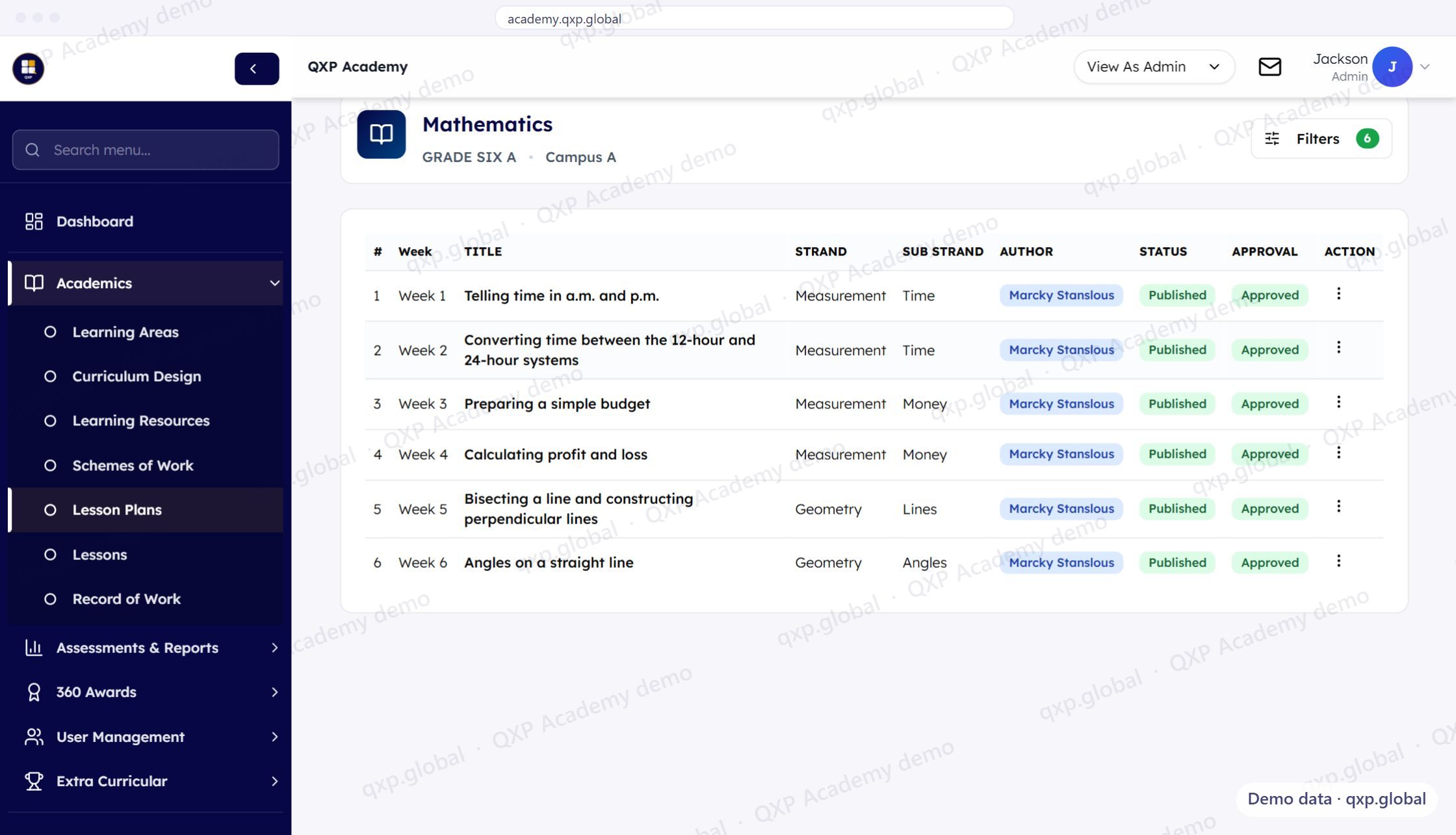
Schemes of work and lesson plans carry their author, Published status and approval, so whether the syllabus is being covered is a record and not a guess.
On screen
Three screens a principal opens in a week
Real screens from QXP Academy, our demo school. The data is made up and learner names are masked.
Packages
In every package
Academics, timetable, attendance, assessment and reports are in Core, so every QXP package has them. Teacher on duty and discipline come with Plus. The price per user per term is on the pricing page.
QXP Insights
Staffing senior school for 2027
Which subjects each pathway leans on, counted from the Ministry's 571 combinations, next to what has been reported about teacher shortages.
Walk through a term on the demo school
A live walkthrough on QXP Academy: the dashboard, a day's roll call, and a class report waiting for your approval.