
Parent Portal
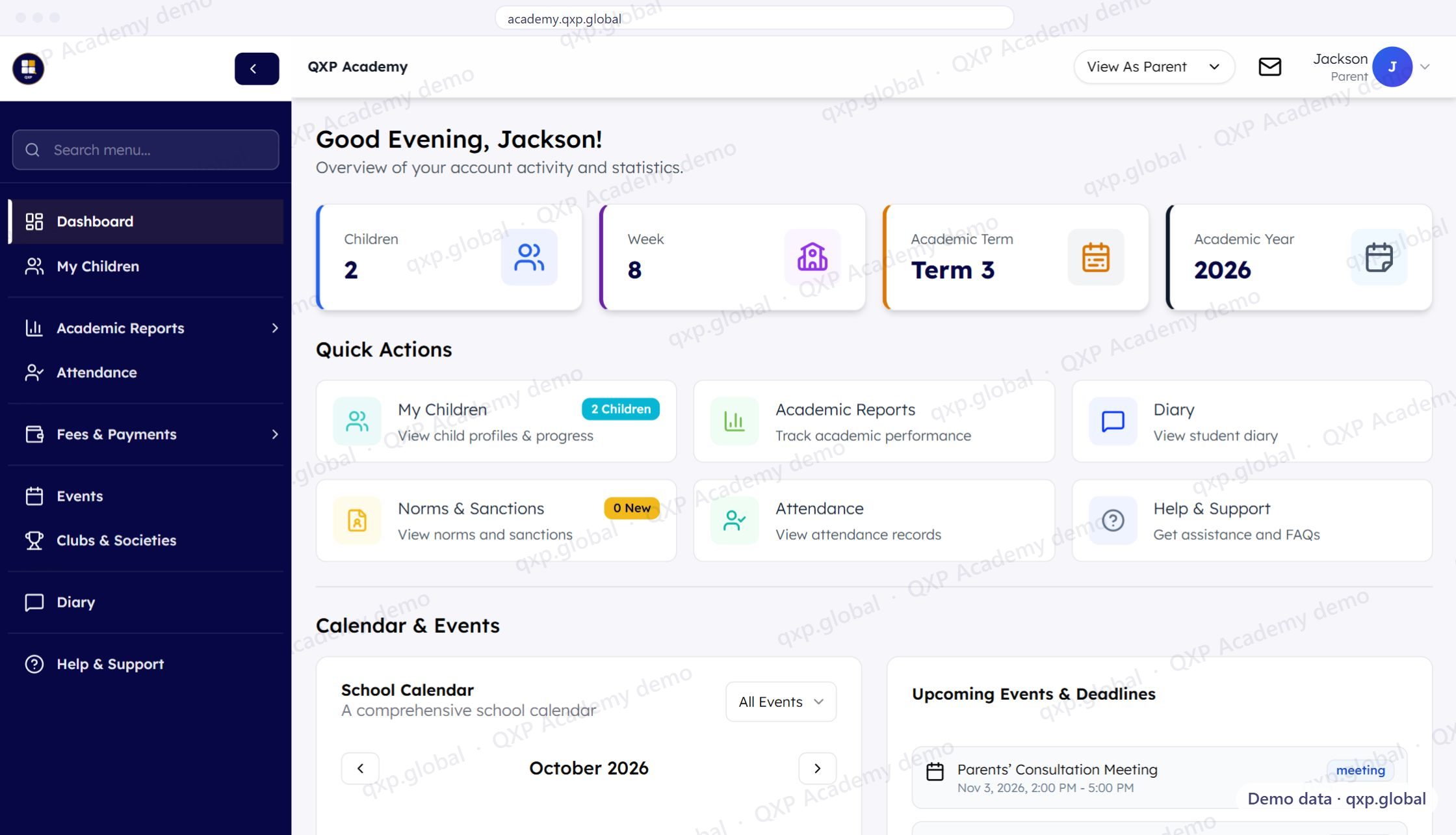
What parents see
Attendance, grades, report cards, fees, and announcements. All from their phone.
Attendance
Daily and lesson-level attendance. See if your child was present, late, or absent. Time stamps included.
Grades and assessments
View formative and summative marks per subject. CBE rubric codes displayed with percentage scores.
Report cards
Download published end-of-term reports. View historical reports from previous terms. PDF format.
Fees and payments
Where your school collects fees through QXP: the statement, what is due, payment history and receipts — and M-Pesa to pay it from the phone you already have.
Discipline records
Merit and demerit entries as the school records them, with the reason. No surprises at the end of term.
Announcements
School-wide and class-specific announcements. Sports days, exam timetables, parent meetings, holidays.
Teacher messaging
A diary thread with your child's class teacher, inside the portal. Real-time, and no personal phone numbers are exchanged.
How parents access the portal
Invitation
School emails you a portal link and login credentials.
Login
Open qxp.global in any browser. No app download required.
Dashboard
See your child's attendance, grades, and report cards.
Parents access QXP for free.
No subscription. No app download. Works on any phone with a browser.