
Junior School · Grade 7-9 · CBE
Junior School, and the pathway decision at the end of it
KJSEA results across the nine learning areas, the Grade 9 composite, and pathway fit that parents and learners can see too, all on the record the school already keeps.
What you are dealing with
What this stage asks of a school
Parents start asking about pathways in Grade 8, and all I can show them is a report card.
The KJSEA results come back and the next step is a spreadsheet.
A learner's talent is on the sports field and in the club, not on the mark sheet.
The choice belongs to the family, but the school takes the phone calls.
What QXP runs at this stage
Results, the composite and pathway fit
Each of these is in QXP today, on the learner's record beside the marks the teachers already enter.
KJSEA results, all nine learning areas
Import the KJSEA roster and results across the nine learning areas, and read them on each learner's record.
The Grade 9 composite, with a KPSEA what-if
The composite (60/20/20) is worked out from the results on record. A KPSEA what-if shows how a different KPSEA result would move it.
Learner outlook: pathway fit and evidence
Pathway fit and learning-area evidence for each learner, from Grade 7. Parents and learners open it themselves, as well as staff.
Saved pathway plans
Save a pathway plan on the learner's record and come back to it.
Talent evidence from ECA
What a learner does in clubs, sport and the arts is recorded in ECA and linked to the pathways it supports.
Marks that become evidence
Teachers enter the marks once
The marks teachers enter through the term are the ones the report is built from. Nothing is copied out twice.
- Total learners, average score, completed and pending counts
- A score entry table that saves automatically
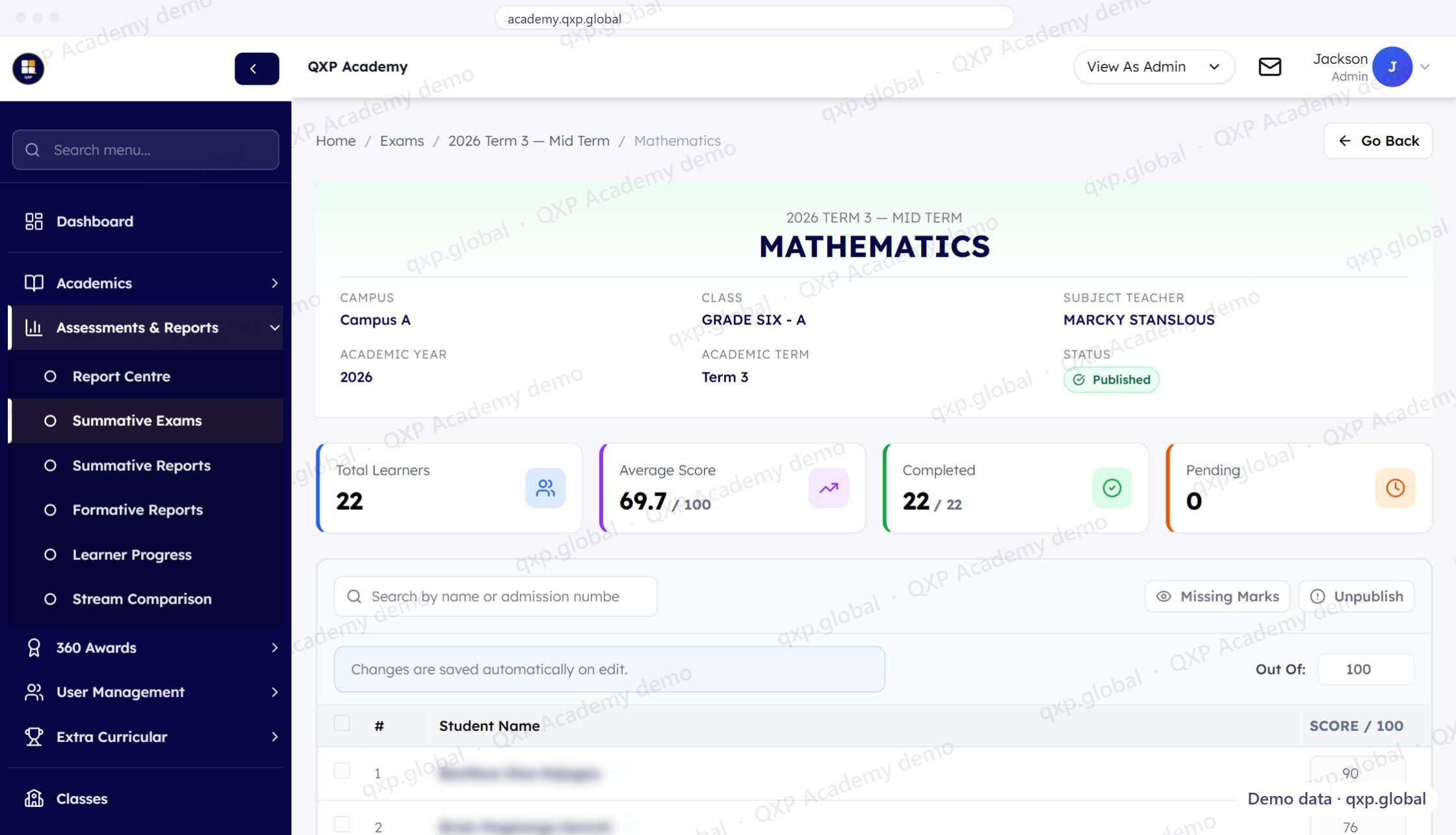
To the report
From the marks to the class report
Reports build from the assessment data already entered, and wait for approval before they reach parents.
- Class average, approved and pending counts
- A score for each learning area
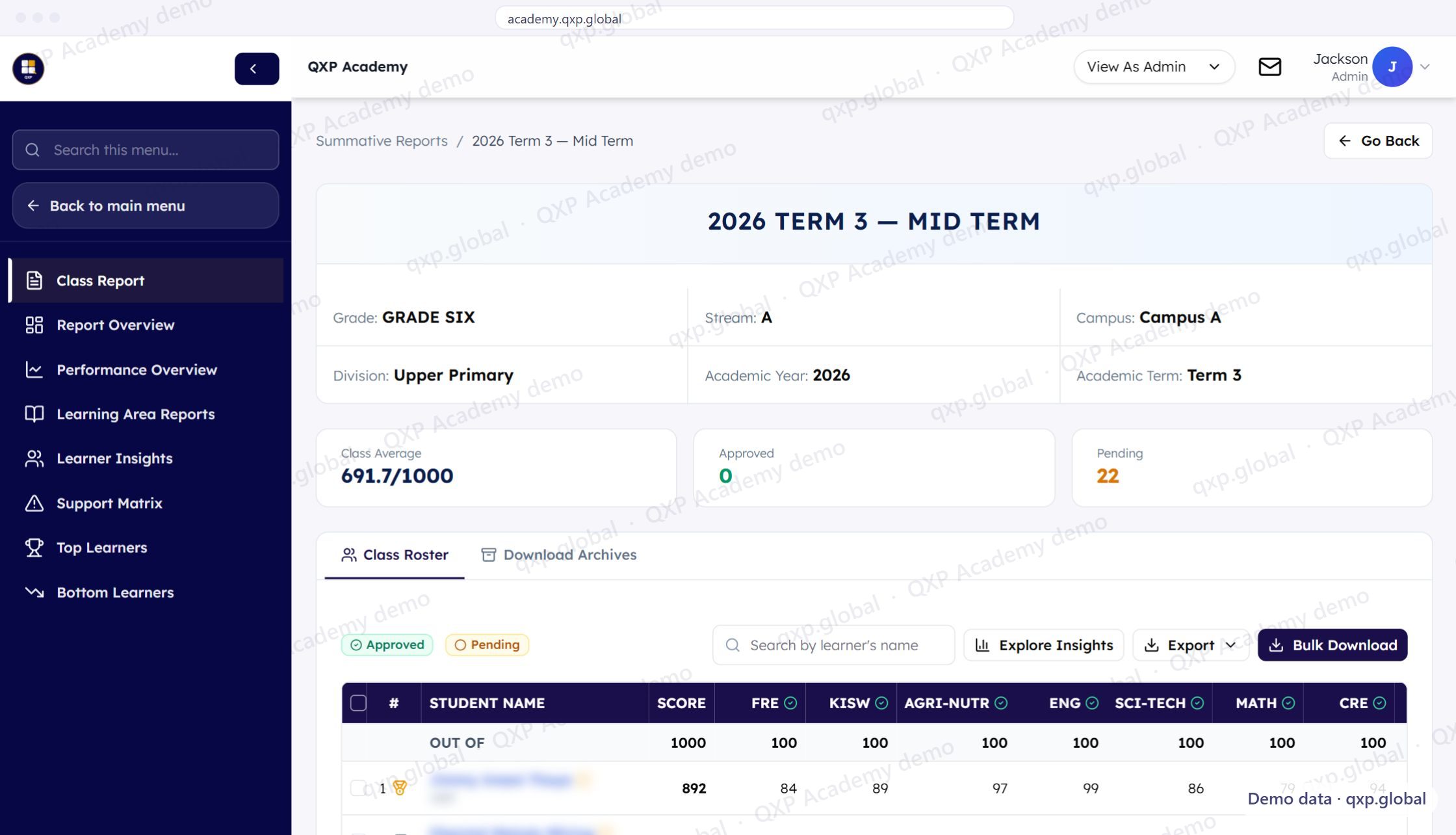
QXP Assessment and Reporting, shown with demo data. Ask us to show you the pathway and outlook screens in a demo.
Families
Families: try the free Pathway Finder
A parent can enter the KJSEA rubric codes, answer six questions about what the learner enjoys, and see how the three pathways rank. The web version is free, needs no login, and keeps the answers on the device. The QXP parent and learner phone app has it too, with a saved plan and a PDF. It is guidance only, because the Ministry places learners.
The question behind the question
Before you commit
We do not want to give families guidance we cannot stand behind.
QXP shows evidence and fit, not a placement. The Ministry places learners; the school and the family decide.
Teachers will not take on another system.
The teacher workspace follows the planning teachers already do: the scheme, the lesson plan, the register, the mark. It is not extra admin on top.
Junior School is part of CBE on QXP, and Pre-primary (PP1-PP2), Primary (Grade 1-6) and Senior School (Grade 10-12) sit on the same school record.
See Junior School on a seeded sample school
Book a demo. We show the KJSEA and pathway set-up on a fully seeded sample school, not on slides.